
In short
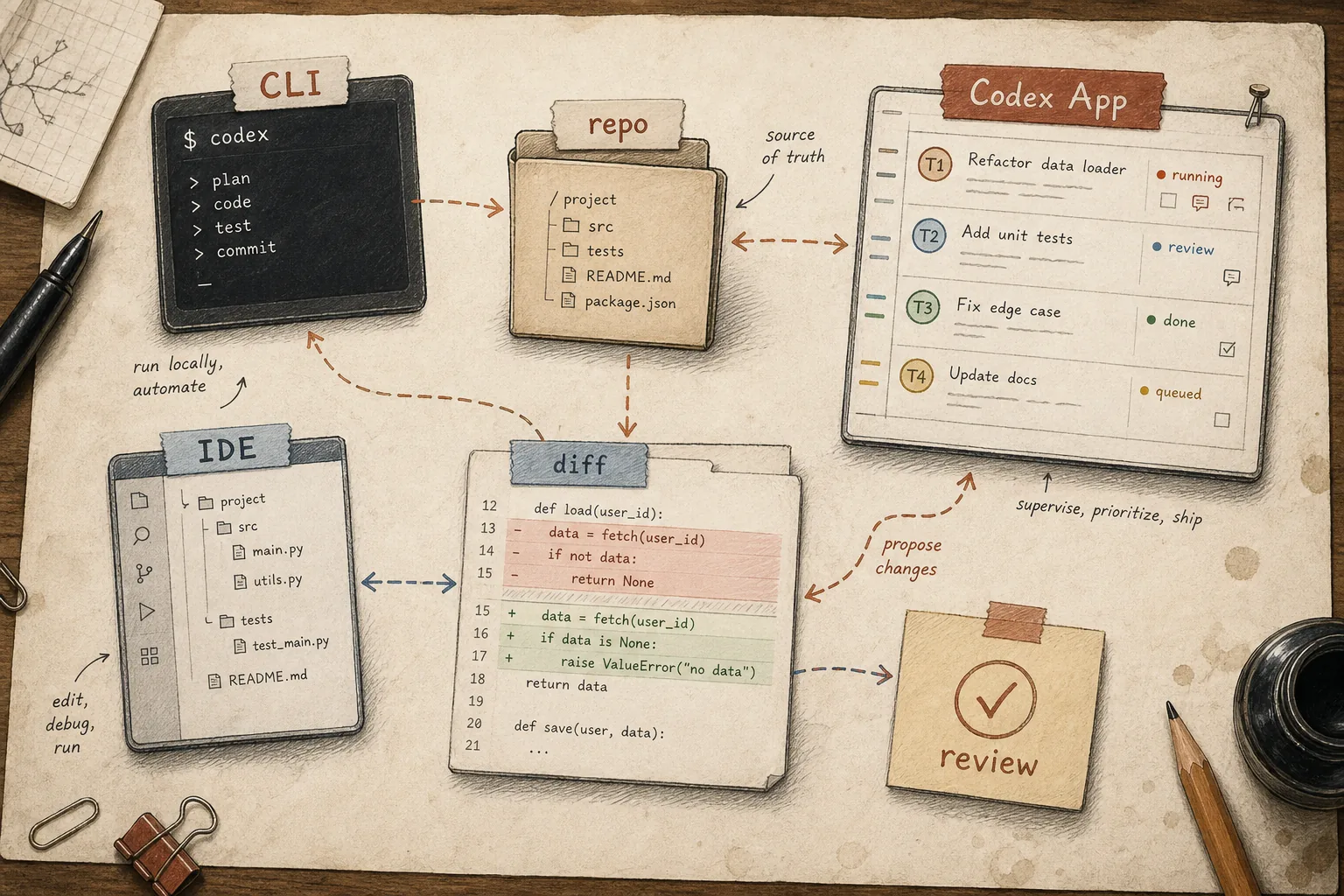
OpenAI Codex is a coding agent, not autocomplete. You describe a task, Codex reads the relevant files, edits them, runs tests, and hands back a diff. In 2026, the useful mental model is Codex App plus Codex CLI plus the IDE extension: the app supervises multiple agent threads, the CLI gives you the fast local loop, and the IDE extension brings editor context into the workflow. Background delegation exists, but it is a mode inside that workflow, not the thing to build a team rollout around.
We run Codex alongside Claude Code on real engineering work, so this is written from actual sessions, not a press release rewrite. The parts worth getting right before you roll it out to a team are the approval model, AGENTS.md, and an honest read of when it's the better tool versus when it isn't.
What Codex actually is right now
"Codex" used to mean a single model. Now it is the product name for OpenAI's coding-agent workflow. OpenAI introduced the Codex app in February 2026 as a command center for multiple agents, worktrees, and long-running tasks. Three surfaces matter in practice:
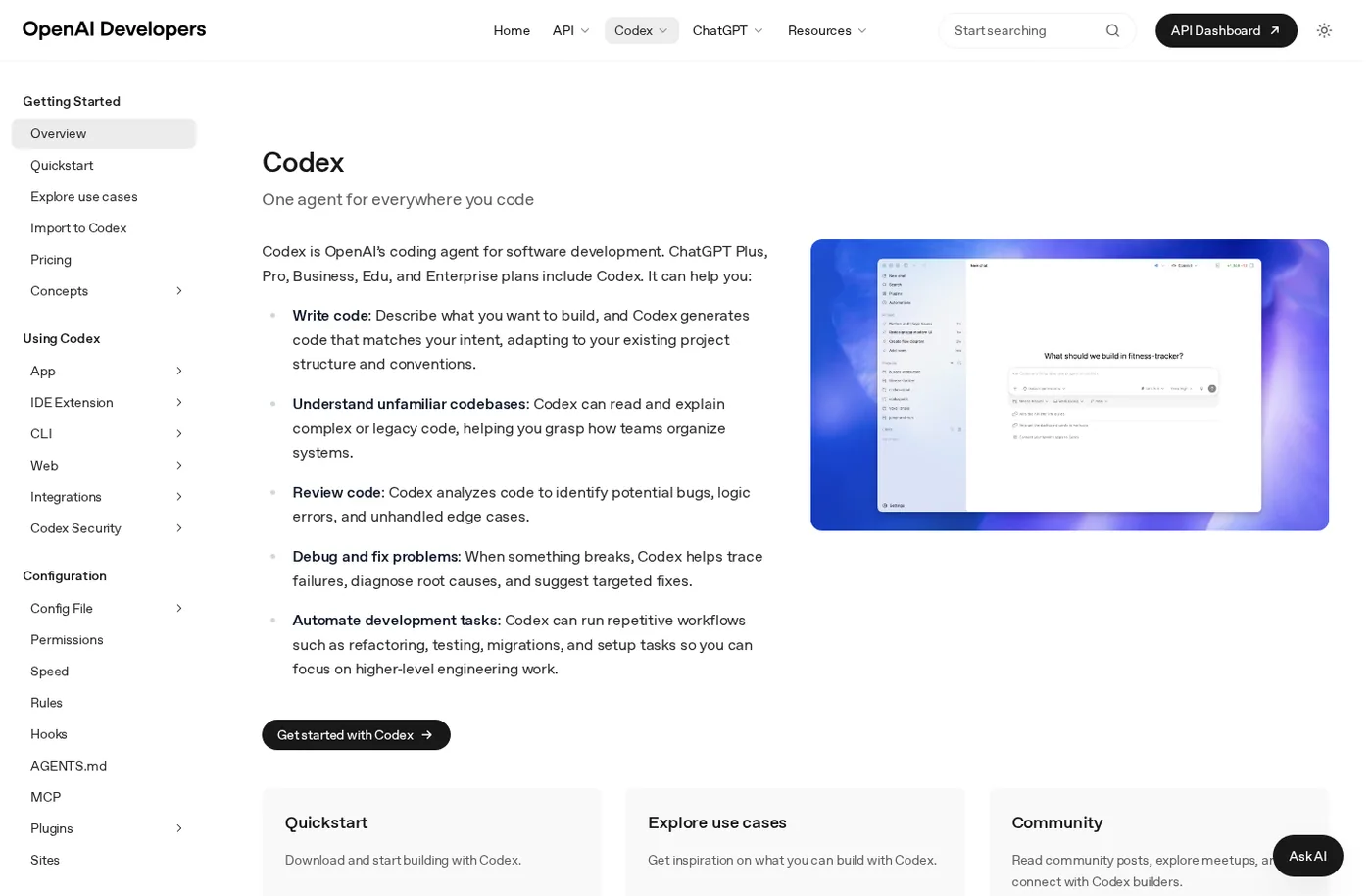
Source: the official Codex page on OpenAI Developers, public page captured in July 2026.
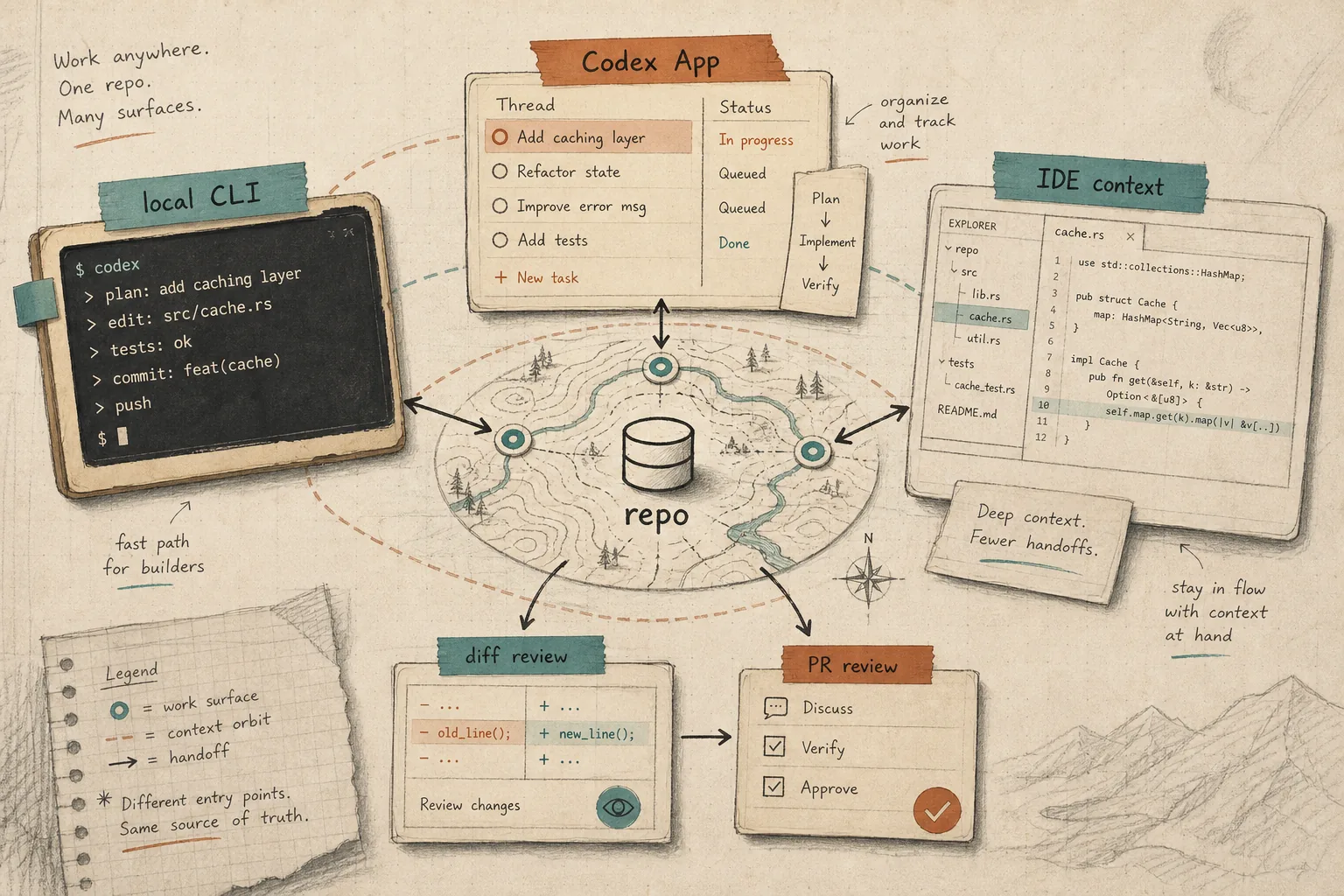
The CLI runs locally in your terminal. You give it a task, it decides which files to open, what to change, what to run, and reports back with an explanation. The Codex App is where you supervise several agent tasks, review diffs, and keep parallel work isolated in worktrees. The IDE extension puts the agent next to your editor when open buffers are the most relevant context.
The point is that these are not three separate bots. Use CLI for the fast local loop, the app for parallel agent work, and the IDE extension when the active file context matters.
Setting up the CLI and the actual work loop
Install Codex CLI from the official OpenAI Codex repo: either with the install script or npm install -g @openai/codex. The most common install failure is typing npm i -g codex and missing the @openai/ scope. Run codex inside a repository and authenticate with either your ChatGPT account or an API key.
The loop from there: describe the task in plain language, Codex reads what it needs, proposes a plan, edits files, runs tests or a linter, and shows you the diff before anything ships. Two layers control what it's allowed to do:
Sandbox mode controls what Codex can technically do — where it can write, whether it can reach the network. Approval policy controls when it has to ask first — for example, before leaving the working directory or making a network call. A sensible starting profile for local work is --sandbox workspace-write --ask-for-approval on-request: Codex reads, edits, and runs commands inside the working directory on its own, and asks before doing anything outside it.
If you're new to this, don't loosen the approval policy in week one. Watch what commands it tries to run unprompted before deciding what to trust it with.
AGENTS.md: the file that keeps Codex from starting over every time
Codex's equivalent of CLAUDE.md is AGENTS.md, a plain-text file at the repo root (files closer to the working directory take precedence over ones further up). Put in it what the agent would otherwise have to rediscover every session: how to run the test suite, which branches are protected, house style, what's off-limits.

Without it, every Codex session starts cold. Either the engineer repeats the same constraints in every prompt, or the model infers conventions from the codebase and gets some of them wrong. The practice that actually sticks: when Codex makes the same mistake twice, ask it to write up what went wrong and add the fix to AGENTS.md itself. A few months in, the file becomes documentation that new hires read too, not just something agents consume.
Three ways teams actually use it
Quick fixes in the terminal. A broken config value, a missing import, a failing test — describe it, Codex reads context, fixes it, runs the suite, shows the diff. On short tasks, the value is not magic; it is a tight loop from task to edit to verification without bouncing between browser, editor, and terminal.
Parallel work in Codex App. The task is well-defined but will take a while — a module refactor, a dependency bump across a monorepo, working through a batch of GitHub issues. Instead of watching one terminal session, you supervise several isolated threads and review the result as a normal diff.
IDE-native work. The extension puts the agent next to your code, useful when you want a back-and-forth with the context of open files rather than a fully autonomous run.
A reasonable rollout order for a team: start with the CLI on low-stakes tasks, get AGENTS.md in place, then add Codex App once you trust the review process enough to check results after the fact rather than watching every step. It's the same sequencing logic behind rolling out an AI agent in any other part of the business: narrow scope and tight review first, wider authority later.
Where it actually breaks
Vague prompts produce confidently wrong diffs. If you don't specify which files are in scope and which aren't, and what test result counts as done, Codex will happily rewrite more than you meant it to. Specificity in the prompt is the single biggest lever on output quality.
The default approval flow protects you from catastrophic commands — an accidental rm -rf, an unreviewed network call — but not from logically wrong tests that pass anyway. Human review of the diff is still mandatory, not a formality to click through. Before trusting Codex with anything customer-facing, run it through the same discipline you'd apply to evals for any AI project: a fixed set of real cases that shows where it fails consistently, not just once.
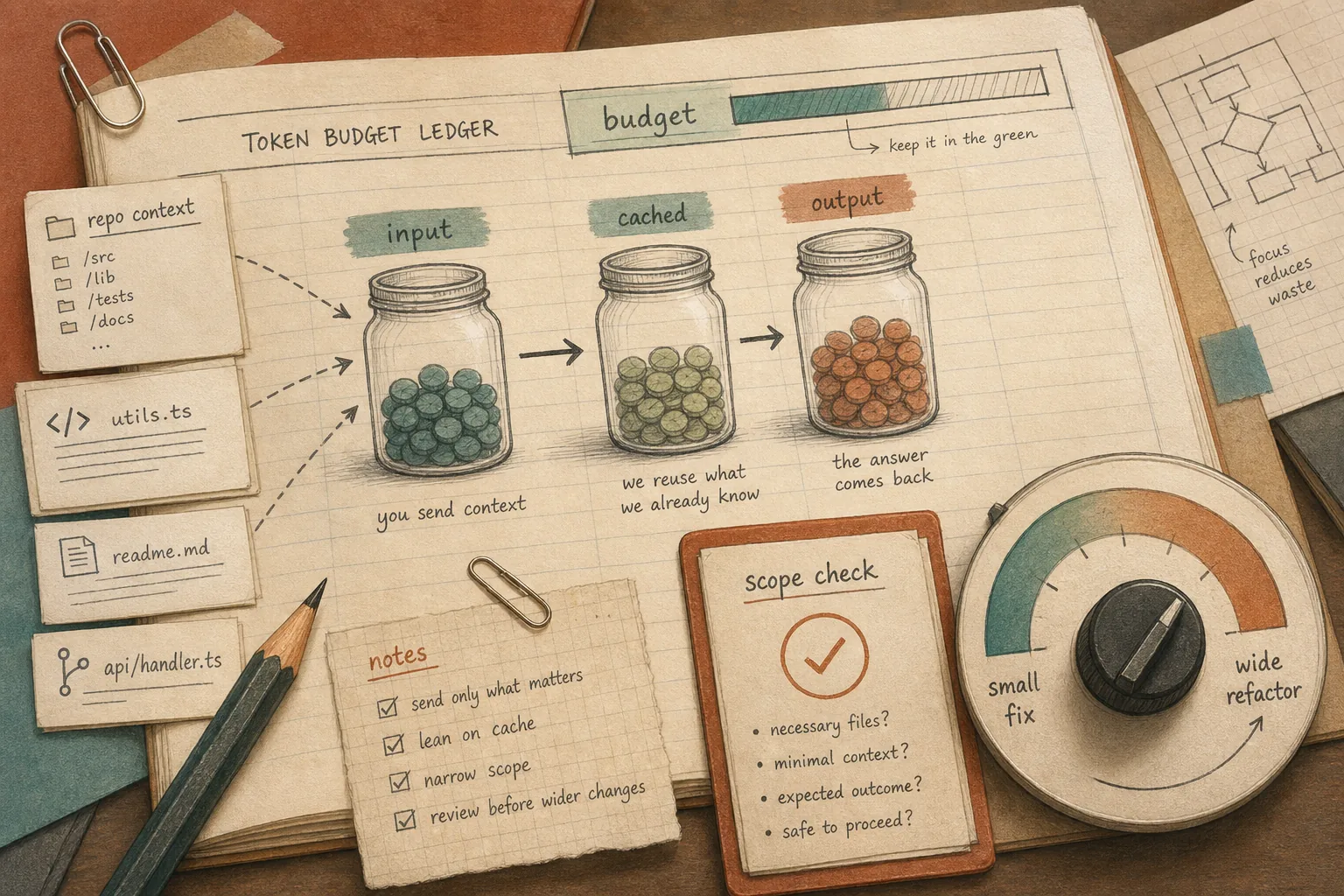
Long autonomous sessions (the current model can sustain multi-hour agentic runs) burn through token budgets faster than short edits. If nobody is watching scope, the bill stops matching expectations. And for genuinely risky operations — production deploys, database migrations, anything touching credentials — restrict the sandbox explicitly or write execpolicy rules rather than trusting the model to stop itself.
Pricing and token accounting
Treat pricing as a usage-control problem, not just a seat-count problem. Codex is available through ChatGPT plans and through API billing, but the real cost driver is how much code the agent reads, rewrites, and verifies. Two small fixes can be cheap; one vague "go clean up this module" request can make the agent inspect half the repository.
Codex or Claude Code
Both tools solve a similar problem: you describe engineering work, the agent reads code, edits files, and runs checks. Codex is stronger as a unified App/CLI/IDE workflow, especially when you want several isolated worktrees moving in parallel. Claude Code often fits better when the job needs a deep pass through a hard refactor or a front-end surface where output quality matters more than turnaround time.
The difference that actually matters shows up in how often you have to redo the agent's work, not in the benchmark table. For the broader tool choice, see Cursor vs Claude Code vs Codex vs Copilot. Most engineering teams we've seen settle into running more than one tool and switching by task type rather than forcing every job through one product. We cover the rollout side of that choice — access control, review policy, and how to measure ROI once you've picked a tool — in Claude Code for engineering teams.
What to settle before a team rollout
Before handing out licenses, decide three things: which repositories the agent is allowed to touch at all, who reviews agent-authored PRs (a real reviewer, not a rubber stamp), and how you'll measure the effect — not "feels faster to type," but tasks closed without a rollback and reviewer time saved, since the agent shifts effort from writing code to reviewing it.
If the company already has GPT integrated into other workflows, it's worth consolidating access and billing decisions in one place instead of running a separate procurement process for every AI tool. It's also worth treating this as a training problem, not just an access-provisioning one: agentic coding changes what an engineer is accountable for, from typing speed to task framing and review judgment. That's a fit for corporate AI training, not just a license rollout.
FAQ
Is Codex free to use?
Codex is available through ChatGPT plans and API access, but regular team use needs a governed paid setup: repo access rules, usage limits, billing owner, and a real reviewer for agent-authored diffs.
How is Codex different from IDE autocomplete?
Autocomplete finishes the line you're already typing. Codex takes a full task description, decides which files to open and what to change, runs tests, and returns a finished result — you review it, you don't type it.
Is Codex CLI safe to run against a production repository?
By default, yes, as long as you don't loosen the approval policy in the first week: the agent reads and edits only the working directory and asks before leaving it or making a network call. For genuinely high-stakes operations, restrict the sandbox explicitly rather than relying on defaults.
Do I need an OpenAI API account separate from ChatGPT?
No. Codex CLI and the IDE extension can authenticate with either a ChatGPT account (Plus/Pro/Business/Enterprise) or a standalone API key billed per token, depending on how your team already pays for OpenAI usage.
If you're deciding which agent to standardize on, don't pick by hype cycle. Take one real recurring task, run it through Codex and Claude Code in parallel for a couple of sprints, and compare how often you had to redo the agent's work — not how fast it answered.