
In short
The four tools every team is arguing about right now solve different problems, even though they all look like the same thing on the surface: they write code. Cursor is no longer just an AI IDE; it is an agentic platform around the editor: IDE, agent, cloud agents, rules, MCP, worktrees, and team workflows. Claude Code is an agent in the terminal: you describe a task in words, and it walks the files, edits, and runs tests on its own. Codex is OpenAI's agentic development loop: Codex App, CLI, and IDE extension for supervising parallel agent work. GitHub Copilot is a GitHub-native assistant and cloud agent: useful inside GitHub process, but in 2026 it is not where I would start for heavy agentic development.
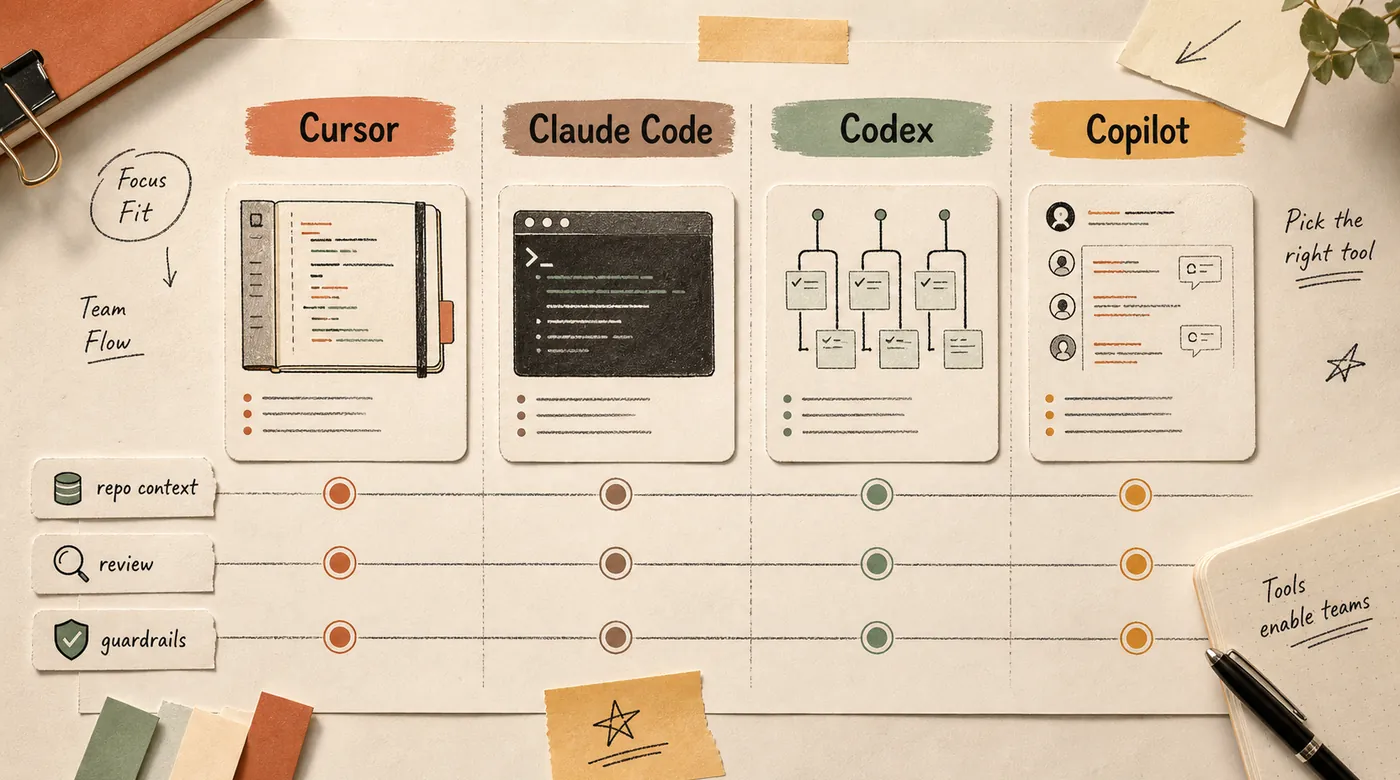
Choosing between Cursor, Claude Code, Codex, and Copilot is not a contest of which model is smarter. It is a question about how your team writes code, where the repo lives, what your review process looks like, and what your security team will say. What follows is a comparison without fanboyism: where each tool actually helps, where it breaks, and what we tend to pick for which job.
One caveat up front. Models and prices move fast, so treat specific tiers as a rough reference, not a fact good for a year. What moves slowly is a tool's approach and its stance toward your code. That is the part worth studying.
Four approaches, not four versions of one thing
The easiest way to get confused is to treat these as head-to-head competitors. They compete for budget and for a developer's attention, but architecturally they are different animals.
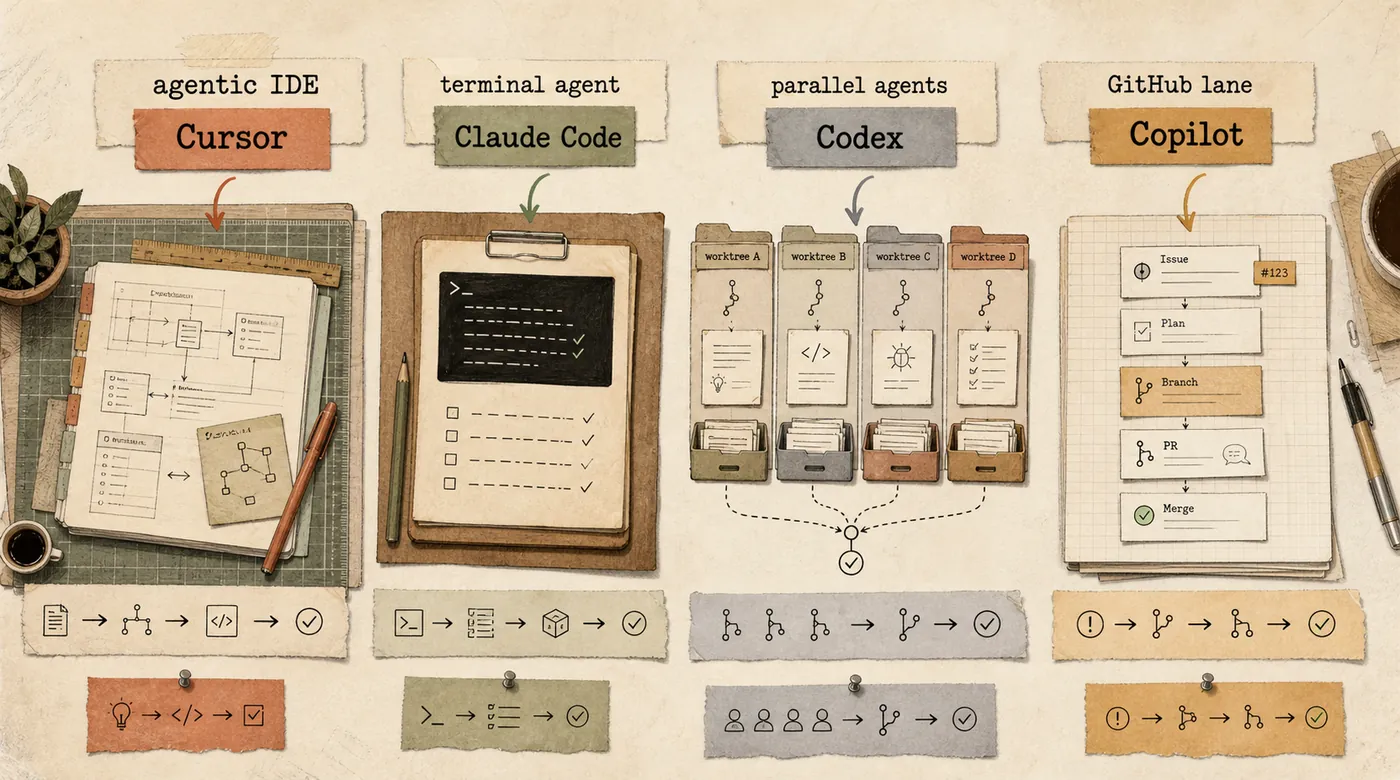
Copilot started as autocomplete and is still strong at it. Over the past year it has grown agent mode and Copilot cloud agent: it can inspect a repo, make a plan, change a branch, and prepare a pull request. But its center of gravity is GitHub and incremental issue work. If your whole team already lives in GitHub, Copilot slots in with almost no friction. If you need the primary agentic workbench for complex engineering work, it is no longer the most serious candidate.
Cursor took a different route: not an extension but a whole development environment rethought around agentic work. It is now Agent, Cloud Agents, Rules, Skills, MCP, and CLI, not just "a chat next to VS Code." A developer does not toggle between editor, plan, and agent; it is all one surface or one connected agentic workflow. The cost is that you have to accept Cursor as a platform, and a team that spent years tuning its VS Code or JetBrains setup moves reluctantly.
Claude Code is an agent at the command line. You do not finish code; you describe the task: "add pagination to this endpoint, update the tests, do not touch the public API." It reads the files it needs, makes changes across the project, runs the tests, and shows a diff. On serious engineering work and large-context reasoning, it is one of the strongest options. The trade is a different way of working: you review more and type less, and that takes adjustment.
Codex in 2026 is a separate option, not "yet another CLI." Codex App is a command center for multiple agents, worktrees, diffs, and longer-running tasks; the CLI remains the fast local way to hand an agent work; the IDE extension pulls editor context into the loop. The practical setup is covered in the Codex guide. If Claude Code feels like a strong single agent, Codex feels stronger as a workbench for parallel agent threads.
So a simple rule. Copilot covers GitHub-native routine and incremental issues. Cursor rebuilds the development process around an agentic IDE. Claude Code takes a hard task and returns a finished diff. Codex helps supervise several agent tasks in one App/CLI/IDE loop.
Working with a large codebase
This is where the tools diverge most, and for a team it is often the deciding factor.
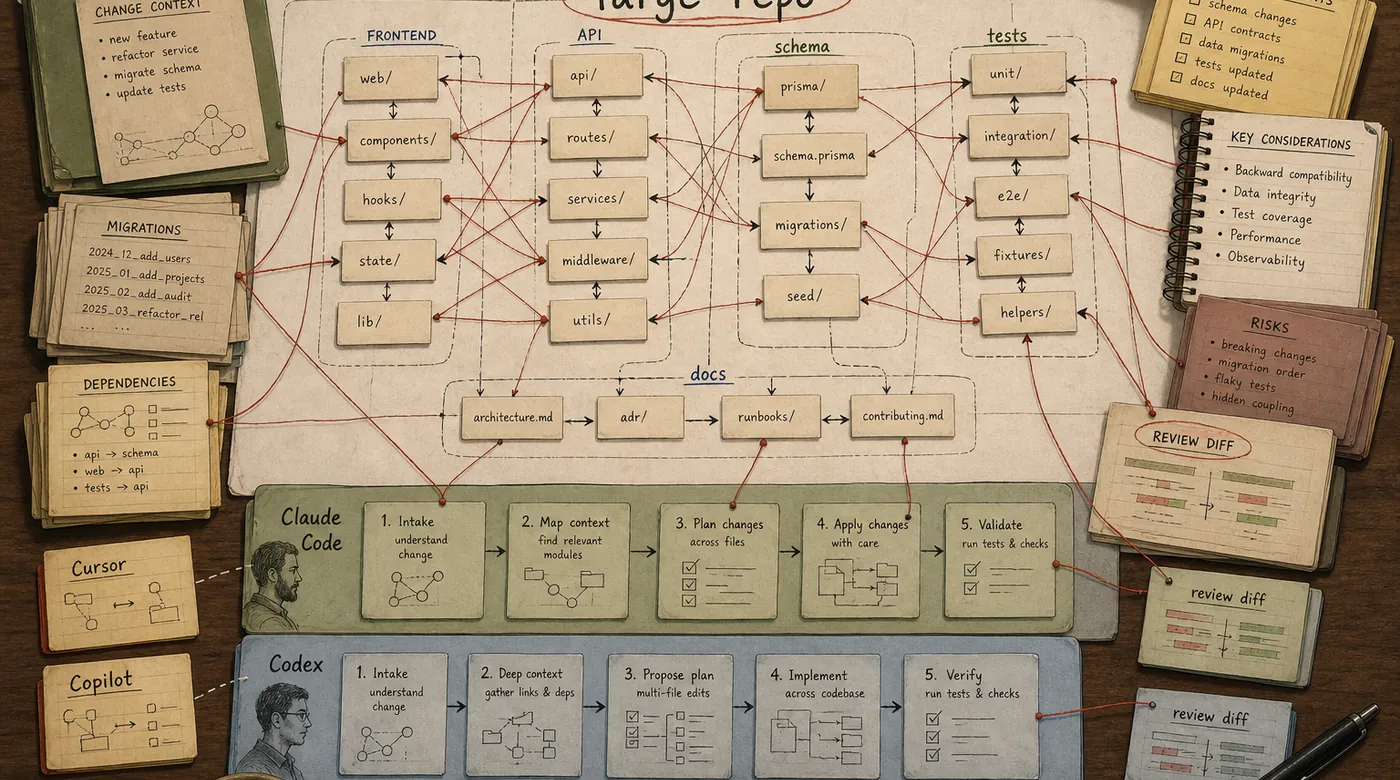
On a small project the difference is barely visible; all four can see a couple of files and cope. The pain starts on a codebase where one feature is smeared across dozens of modules, and "just rename a field" touches migrations, schemas, the frontend, and three services. Autocomplete is useless here; it does not understand what happens outside the current file.
Claude Code and Codex behave closer to a real agentic process here. Claude Code is strong when one hard task needs a deep pass: find the relationships between files, rewrite a module carefully, and decide which tests matter. Codex is more convenient when there are several such tasks: keep them in separate worktrees, review diffs, and avoid mixing parallel threads.
Cursor can also index a project and work across files, especially through its agent mode and cloud agents. Its strength is that the agent lives next to the editor, not somewhere else. Copilot is useful if the work is already packaged as a GitHub issue and fits a clear pull request, but for architectural archaeology in a large codebase I would not make it the main tool.
A separate word on hallucination. The bigger the project, the more often any of these tools invents a function that does not exist or calls a deprecated method. That is not a reason to avoid them; it is a reason to keep your brain on. Read the diff. Run the tests. A tech lead who accepts AI changes on trust ends up, a month later, with a codebase nobody understands.
Code security and the security review
For a tech lead or CTO this is usually the first question, not the tenth. Your code is an asset, and shipping it into someone else's cloud service without knowing the rules is a real risk.
The baseline picture across the four tools differs. Copilot's enterprise tiers give a mature security set: SSO, audit logs, org-level policy, plus IP indemnity — if generated code matches someone else's and you get sued, GitHub takes on part of the liability. For a large company with a real security review, this is often the easiest tool to clear, especially if GitHub is already the engineering platform.
Cursor leans on privacy mode, SOC 2 Type II, and zero data retention agreements with its model providers. The caveat: when abuse detectors fire, some data can be retained temporarily for review. A small thing, but better to tell your security lead about it yourself.
Claude Code, through the API, does not train on your code; that is Anthropic's stated behavior. Codex needs the same discipline: configure sandboxing, approval policy, repository access, and off-limits directories deliberately. In practice that makes both tools sane choices even where people are wary of the cloud, provided you understand which data leaves the building and who reviews agent-written changes.
What a team should actually do. Do not give an AI tool access to secrets, keys, or production data — keep them in a separate store, not in the code. Check that privacy mode is turned on at the organization level, not left to each developer. And run the question past your security lead before real use, not after half the team has been connected for six months. If you write software for a regulated industry or hold someone else's personal data, this is not a formality.
Team pricing
The number to watch is not the price of one seat but the full monthly cost for the team, including how the tool charges.

Copilot is consistently cheapest at the door: the individual tier runs about half the price of its rivals, and there is an enterprise level with admin controls. The model is clean — a fixed price per seat, easy to budget.
Cursor is noticeably pricier than Copilot on both individual and team tiers, but in exchange you get the most complete AI IDE. It has several levels; heavy users can move up to tiers with high limits and priority access to frontier models.
Claude Code and Codex are built differently, and that is a budget trap. With agentic tools you have to watch not just the seat but actual consumption: how many long tasks developers launch, how often the agent rereads the repo, and how much a retry after review costs. Before you roll it out to the whole team, pilot it on a couple of people and look at the real monthly bill. We have seen the "per the price list" estimate diverge from the actual invoice by multiples more than once.
Do not compare subscription price alone. A tool that saves a developer a few hours a week pays for itself quickly — but only if those hours actually appear, rather than getting spent reworking AI-written code. A cheap tool that lets junk leak into the codebase costs more than an expensive one.
What we pick for which job
There is no universal answer, and that is fine. Here is how we usually lay it out.
The team lives in GitHub, needs a low barrier to entry and a predictable budget — Copilot. It integrates with almost no resistance, clears security review most easily, and covers part of the daily routine through autocomplete and GitHub-native agent flow. A good corporate default when the goal is not to build an agentic platform, but to add AI carefully to an existing GitHub process.
The team is willing to move into a new IDE and wants maximum AI right in the editor — Cursor. Especially if typing speed matters and it feels good to have everything in one window. SOC 2 and privacy mode give your security people an argument. The downside is the migration and the price.
Tasks bigger than a line — multi-file changes, legacy archaeology, autonomous work from a description — Claude Code. Here it is strong, but it demands a different review discipline and a careful eye on the bill. We usually point it at the hard stuff and keep something lighter for the everyday. Worth noting: these tools do not replace the custom-vs-low-code decision — they only speed up the development you are already doing.
Several agent tasks need to run in parallel — Codex App and CLI. This is a good choice when a tech lead has a flow of clear engineering tasks that can be split into worktrees and reviewed as normal diffs. Codex does not remove human control, but it turns "one agent in one terminal" into a manageable queue of work.
And an honest fact from practice: strong teams in 2026 rarely pick a single tool. The common pairing is Cursor as the agentic IDE, Claude Code or Codex for heavy tasks, and Copilot as the corporate GitHub default where it is already bought and approved. That is not a sign someone failed to decide. It is an admission that autocomplete, an AI IDE, and an agentic workbench are different tools in one box. How to fit these tools into a team's process — access, security, review — we cover separately in the piece on Claude Code in an engineering team.
What breaks in real usage
The demo is always pretty. Real work surfaces the things the reviews leave out.
First — review becomes the bottleneck. AI writes code faster than a human reads it. Where two developers used to write code that one senior reviewed, now two developers with agents bury that senior under two or three times the volume. Review throughput is where teams stall, not generation speed.
Second — accountability blurs. When an agent made the change and a developer only accepted it, the answer to "why was it done this way" often lives with no one. The rule is simple: code that lands in main is the responsibility of the human who clicked merge, not the tool that wrote it.
Third — juniors stop learning. If a newcomer accepts AI code without understanding it, they do not grow; they accumulate technical debt inside their own head. For a team this is a quiet but expensive problem on a one-year horizon.
Fourth — the token bill. Especially with agentic tools. A developer who runs the agent in circles in the heat of the moment can burn a month's budget in a week. Limits and monitoring here are not bureaucracy; they are hygiene.
How to run a pilot
Do not roll a tool out to the whole team off an internet review — including this one. Test it on yourselves.
Take two or three developers and one or two candidate tools. Not five at once, or the comparison goes fuzzy. Give them real tasks from your backlog, not toy ones. Two weeks is a reasonable window to get past the honeymoon and see how the tool behaves on boring routine.
Measure specifics, not "like it / do not like it." How many tasks were closed. How many AI changes went back for rework at review. How much time was actually saved, and on what. What the bill came to. What the security team said. Answers to that give a truer picture than any ranking. We run the same short pilot before an MVP launch: a small check on a real task first, then the rollout.
And agree on the rules before you start, not after the first incident: what may not be shown to the tool, who owns merged code, where the agent's autonomy ends. A team that settles this in advance gets value from AI without surprises. If you want to turn this into a repeatable process and train people to work with such tools systematically, that is exactly our lane in corporate AI training and in custom AI development, where we live in these tools every day ourselves.
FAQ
Which is better for a team — Cursor, Claude Code, Codex, or Copilot?
It depends on where you work and what is critical to you. Copilot — if low price, GitHub integration, and easy security approval matter. Cursor — if you want an agentic IDE as the main development surface. Claude Code — if your main pain is multi-file changes and understanding a large codebase. Codex — if you need an App/CLI/IDE loop for parallel agent tasks. Many teams take two tools rather than one.
Is it safe to give these tools access to our code?
With the right setup, yes. Keep secrets and production data out of the code, enable privacy mode at the organization level, and clear the choice with your security lead before you start. Cursor holds SOC 2 Type II certification, Copilot's enterprise tiers offer IP indemnity, Claude Code via the API does not train on your code, and Codex needs careful sandbox, approval, and repository-access settings. But the configuration is on you.
How much do these tools actually speed up development?
It varies and is not linear. A few hours a week saved per developer is a realistic reference, but only if the saved time does not flow back into reworking AI code and into a swollen review queue. Measure it on your own pilot, not on someone else's case study.
Can we use several tools at once?
Yes, and in 2026 it is the norm for strong teams rather than the exception. Typically: Cursor for daily agentic editing, Claude Code or Codex for heavy tasks, and Copilot as the corporate GitHub default where it is already accepted. The key is to watch the combined bill and not breed chaos in the review process.
If the choice is for a specific stack and team, start with a two-week pilot on a couple of people and honest metrics. The right tool shows up not in a review but in your own bill, your review speed, and how much code you had to redo.