In short
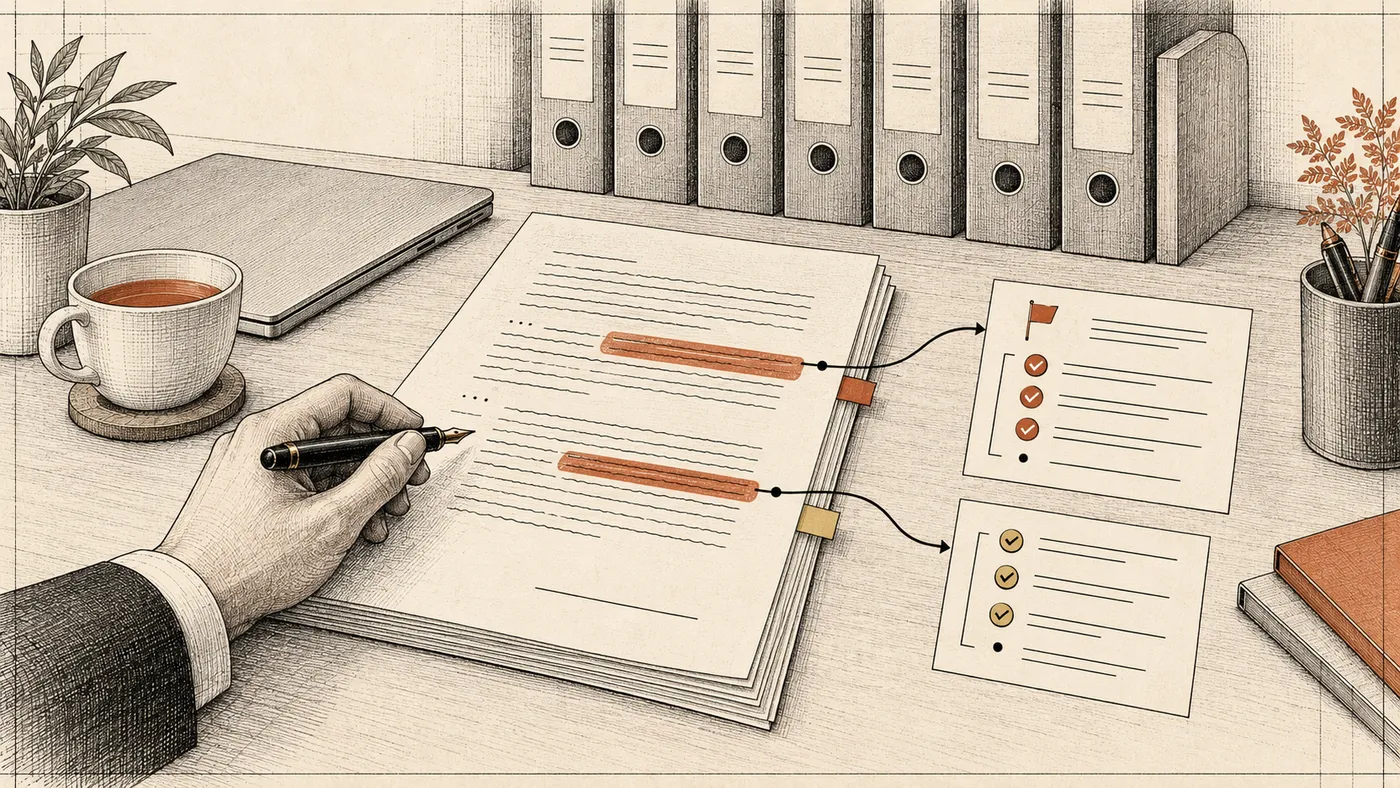
Lawyers can already hand AI the preparation work on a contract: read forty pages, compare the terms with the company's positions, list the risky clauses with quotes, and draft an issues list and a cover email to the other side. Accepting a risk, choosing a negotiation position, and signing off stay with the lawyer.
The tools fall into three groups. General chat models (ChatGPT, Claude, Microsoft Copilot) write and summarize well but can invent authority. Legal platforms such as Harvey, CoCounsel, and Lexis+ AI answer from maintained legal content. Agentic tools such as Claude Code and Codex run on your own computer and work through a whole folder of documents.
Below, one supply agreement goes through the full cycle: playbook, review, issues list, cover email, citation check. First in a chat window, then with an agent over a folder of contracts. After that: what not to upload, how to avoid hallucinated case law, how to roll this out to a team, and when a legal department needs its own system.
What lawyers can hand to AI today
In-house lawyers rarely lack knowledge. They lack time for the routine around it, and that routine is where AI helps most.
| Task | What AI does | What stays with the lawyer |
|---|---|---|
| First-pass contract review | Goes clause by clause and flags deviations from the playbook | Decide which risks are acceptable |
| Comparing versions | Shows what the counterparty changed in your template | Judge what the edits mean |
| Issues list | Builds a table: their language, our language, rationale | Approve the positions |
| Email to the counterparty | Drafts it in the right tone | Edit and send |
| Summaries | Condenses a judgment or a long agreement | Check against the text |
| Dates and obligations | Pulls notice windows, auto-renewal, penalties | Put them on a calendar and own them |
| Legal research | In a legal platform, finds the answer with a source | Read the authority itself |
The last row carries the most risk. A general model writes a citation with the same confidence as everything else, so every authority it mentions has to be opened at the source. More on that below.
Which AI tools fit legal work
A ranked list ages fast: models change every few months, and the right choice depends on the task and on where your data may go. Knowing the categories is more useful.
| Category | Examples | Strong at | Weak at |
|---|---|---|---|
| General chat models | ChatGPT, Claude, Microsoft Copilot | Text: emails, summaries, issues lists, plain-English explanations | They do not know your positions and can invent authority |
| Legal platforms | Harvey, Thomson Reuters CoCounsel, Lexis+ AI | Answers grounded in maintained legal content, law-firm workflows | Usually blind to your own playbook and executed contracts |
| Contract add-ins | Spellbook in Microsoft Word | Drafting and redlining inside the document | One document at a time |
| Agentic tools | Claude Code, Codex | Work through a folder: dozens of contracts, one summary table | Need some setup; text goes to the model provider |
General models. Good for anything where the output is prose. For client work you need an enterprise or team plan, not a personal account; the confidentiality section explains why.
Legal platforms. When the answer must rest on statutes and case law, use a tool that retrieves from a maintained database rather than from model memory. CoCounsel, for example, can draw on Westlaw and Practical Law. These platforms know the law. They do not know that your company never accepts uncapped indemnities.
Agentic tools. Claude Code from Anthropic and Codex from OpenAI look unfamiliar to most lawyers. They are programs that run on your computer, in a terminal or a desktop app, and get access to one folder. You give instructions in plain English. The agent opens the PDFs and Word files, compares them with your rules, writes the results into a spreadsheet, and shows you what it did. You do not need to code, although the agent sometimes writes small scripts for itself, for example to pull text out of a scan.
Walkthrough: one supply agreement, from review to cover email
The setup. A mid-size distributor, call it Buyer Inc., receives a one-year supply agreement on the supplier's paper. New York law, twelve pages, a pricing schedule attached. The commercial counsel wants to know within an hour what is dangerous in it and send the supplier an issues list.
Step 1. Write the playbook on one page
A playbook is the company's written positions on standard terms. Every legal team has them, though they often live in the general counsel's head. For supply agreements on the buy side, one page can look like this:
- payment net 30 from delivery, never from shipment;
- prices fixed for the term of each order; changes only by signed amendment;
- late-payment charges no higher than the supplier's late-delivery credits, both capped at 10% of the affected amount;
- disputes in the courts of the buyer's home county;
- at least 10 business days after delivery to inspect and reject goods;
- no supplier termination for convenience; termination only for non-payment;
- anything not on this list goes to a lawyer.
The numbers here are illustrative. The team sets them, and the person who owns the position writes them down. The last line matters most: it gives the model permission to say "the playbook does not cover this" instead of forcing an answer.
AI can help write the playbook too. Upload five or six agreements the team has already signed off and ask for a list of terms the company consistently held out for. You get a draft the general counsel can fix in half an hour.
Step 2. Review the contract in a chat
Open your enterprise ChatGPT or Claude, attach the contract and the playbook, and give a short instruction:
Review this supply agreement against the attached playbook. We are the buyer.
For each deviation give: section, verbatim quote, playbook rule, flag (red/yellow).
If the playbook does not cover a clause, say "not covered".
Do not paraphrase quotes. If a quote is not in the text, do not give one.
On our agreement, the answer looks roughly like this:
| Section | Quote | Playbook rule | Flag |
|---|---|---|---|
| 4.3 | "Supplier may adjust prices upon five (5) days' written notice" | Price changes only by signed amendment | Red |
| 5.2 | "Payment is due within five (5) business days of shipment" | Net 30 from delivery | Red |
| 7.1 | "Buyer shall pay a late charge of 0.5% of the overdue amount per day" | Late charges no higher than supplier's, cap 10% | Red |
| 7.2 | "Supplier's liability for late delivery shall not exceed 0.01% per day, up to 5%" | Same rule | Yellow |
| 8.4 | "Claims for nonconforming goods must be made within two (2) business days" | At least 10 business days | Yellow |
| 12.1 | "Exclusive jurisdiction in the courts of Supplier's county" | Buyer's home county | Yellow |
| 11.3 | Force majeure with no notice period | Not covered | Lawyer decides |
Sections 7.1 and 7.2 together show something neither shows alone: the buyer's late charge is fifty times the supplier's and has no ceiling. A good model catches that asymmetry if the playbook has a rule about it.
Next, the lawyer opens each section in the contract and checks that the quote is verbatim. It takes a couple of minutes and catches the most common model error, a paraphrase that quietly changes what the clause says. When the lawyer disagrees with a flag, the fix is a sharper playbook rule, not an argument with the model.
Step 3. Issues list and cover email
With the flags in hand, the lawyer decides which points to push. Next prompt in the same chat:
Build an issues list for sections 4.3, 5.2, 7.1, 8.4 and 12.1.
Columns: supplier's language, our proposed language, one-line rationale.
Take our language from the playbook. Do not cite any statutes or cases.
| Section | Supplier's language | Our proposed language |
|---|---|---|
| 4.3 | Supplier may adjust prices upon five days' written notice | Prices are fixed for the term of each order and may be changed only by a written amendment signed by both parties |
| 7.1 | Late charge of 0.5% per day | Late charge of 0.01% per day, not to exceed 10% of the overdue amount |
The "no citations" line is there on purpose. The lawyer adds authority in step 4; otherwise the model fills it in from memory.
The cover email is a third prompt: "Write a short email to the supplier's sales director. Friendly, we want to work with them. Explain the three main changes: pricing, payment terms, late charges. The issues list is attached." The first draft is almost always longer and more polite than needed. Ask it to cut the length in half and drop the lines about mutually beneficial partnership.
Step 4. Check every legal reference
Now authority goes into the rationale and the email. This is where models fail most often, and the failures look plausible. A typical case: the draft rationale says a breach-of-contract claim can be brought "within six years under New York law". Six years is New York's general contract limitations period, but a contract for the sale of goods falls under UCC § 2-725, which sets four years. The model blended two real rules into a wrong answer.
The check is simple:
- Ask the model to list every statute, rule, and case it referenced, as a separate list.
- Open each one in Westlaw, Lexis, or an official source and check three things: the citation exists, it says what the draft claims, and it is current law in the right jurisdiction.
- If you cannot find it in a minute, delete it. A rationale with no citation is still better than one with an invented citation.
For this example, our estimate is that first-pass review, the issues list, and the email take about an hour instead of half a day. That is an illustration, not a measurement; it depends on the length of the contract and how detailed the playbook is.
The same process in Claude Code or Codex, over a folder
A chat handles one contract well. When thirty suppliers each send their own paper, an agent is more convenient. The lawyer creates a folder with the contracts (PDF and Word), a playbook.md file, and a short instruction file. Claude Code reads CLAUDE.md; Codex reads AGENTS.md:
We are the buyer on supply agreements governed by New York law.
Review every contract in contracts/ against playbook.md.
For each deviation: file, section, verbatim quote, rule, flag.
If the playbook does not cover a clause, write "not covered". Do not edit files.
Save the results to review.xlsx.
The agent works through the folder and produces one table for all contracts. The lawyer sorts by red flags and starts with the worst. The agent can also draft an issues list per contract in the step 3 format. Citations it adds still get checked by hand.
Anthropic publishes an open-source legal plugin with a /review-contract command that reviews against a playbook kept in legal.local.md, plus /triage-nda for NDA screening. It is built for Cowork, Anthropic's desktop app for file-based work, and also runs in Claude Code. You fill legal.local.md with your own positions.
Two practical tips. Start in read-only mode so the agent cannot change anything in the folder. And for the first few days, compare the agent's report with your own review on five to ten contracts. You will quickly see which rules it applies reliably and which need rewriting.
If you want to learn this way of working yourself, join the course waitlist. Enrollment is paused for now; one-on-one sessions are available on request.
Hallucinated case law and how to avoid it
In Mata v. Avianca (2023), a US federal court sanctioned lawyers who filed a brief citing cases ChatGPT had invented. The model produced citation-shaped text because that is what it predicts: a case name, a reporter, a year, even a quoted holding.
The ABA's Formal Opinion 512 on generative AI makes the professional consequence explicit: lawyers stay responsible for the accuracy of what they submit and for protecting client confidences when they use these tools.
Four habits cover most of the risk:
- Research authority in a legal platform. Use a general model for prose, not for finding sources.
- Forbid citations in the prompt when you do not need them yet, as in step 3. A model allowed to cite will cite.
- Require a verbatim quote from the attached document for every finding. Quotes are easy to verify with a text search.
- Check every citation at the source before anything leaves the building, however confident the model sounds.
Production systems build the same rule into their design: answers come only from retrieved documents, and the user sees which file and clause each finding came from. Our Magnum knowledge assistant works that way in a non-legal setting. In legal work, it is the minimum bar.
Confidentiality and client data
Contracts carry client confidences, trade secrets, and personal data about signatories and employees. Before any document reaches a model, settle a few things with your privacy and security owners:
- Personal accounts are out for client documents. On consumer plans, conversations may be used for model training unless the user opts out, and the firm has no control over the history.
- Enterprise plans that do not train on your data are a safer baseline, but they still need approval.
- Mask what the review does not need. Replace names of individuals, account numbers, and contact details with placeholders before upload. Commercial terms are what you are checking.
- Agents send text too. Claude Code and Codex pass contract text to the model provider. Read-only mode protects your files from edits, not your data from transfer.
- Highly sensitive matters may need a model in your own environment or in an approved cloud region.
We describe the baseline for company-wide access with roles and logs in our piece on an internal ChatGPT for the company.
Rolling AI out across a legal team
One lawyer who learns these tools speeds up one lawyer. A team needs shared rules, or everyone works differently and client data ends up in personal accounts.
- A one-page use policy. Which tools are approved, what may be uploaded, what gets masked, who checks citations, where AI is not used at all.
- A shared playbook and prompt library. One playbook per contract type and tested prompts for review, issues lists, and emails, kept in one place with one owner.
- One contract type to start. Usually NDAs, supply agreements, or order forms: high volume and a clear template.
- Training on your own paper. Lawyers run the whole cycle on real team contracts, not textbook examples, and see where the model fails on your documents.
- A review of misses every two weeks. Each missed risk or invented citation becomes a playbook or policy fix.
If you need to bring the whole team up to speed, see our corporate AI training: the program is built around your team's tasks and uses your documents.
When the team needs its own system
A chat and an agent on a laptop handle dozens of contracts a month. A dedicated system makes sense when any of these appear:
- Volume. Hundreds of contracts arrive through a CLM, email, or a ticketing queue, and one-by-one review is too slow.
- Your own archive. "What did we agree with this supplier on late charges last time?" needs an answer that points to the file and clause.
- Permissions. Access must mirror matter-level rights and ethical walls. An agent on a laptop sees everything in its folder.
- An audit trail. Six months later you need to know which playbook version and which model raised a flag, and who cleared it.
- Measured quality. On 50 to 100 contracts where your lawyers already know the right answer, you measure how many risks the system finds and how many false alarms it raises, and you rerun the set after every model or rule change. The method is in why AI projects need evals.
- Data location. Text must not leave your environment or jurisdiction.
A pilot starts with one contract type: lawyers write the playbook, build the test set, run the system alongside their own review, and fix rules where the two disagree. Contracts are a hard case for plain vector search, because defined terms and section numbers matter; we explain why in how RAG works beyond vector embeddings. The intake-to-audit-log flow is covered in how an AI agent checks documents.
If your team has steady contract volume and a playbook, see how we build an AI document assistant: contract review against your rules plus search across your internal archive, with every answer tied to a file and clause.
Checklist before sending a document to AI
- The tool is an approved enterprise plan with training on your data turned off.
- Personal data the review does not need is masked.
- Nothing in the document is something the client barred you from sharing.
- The playbook is attached along with the contract.
- The prompt requires a verbatim quote for every finding.
- Citations are either forbidden or will be checked in Westlaw, Lexis, or an official source.
- Every quote has been checked against the contract.
- A lawyer made the risk call and approved the final text.
Bottom line
In contract work, AI is a fast and careful assistant: it finds deviations from your rules, builds the issues list, and drafts the email. It does not replace citation checks or judgment. Start with a chat and a one-page playbook, move to an agent when volume grows, and to your own system when you need intake, an archive, permissions, and an audit trail. For that last step, we build the AI document assistant.
FAQ
What is the best AI tool for lawyers?
It depends on the task. For research, use a legal platform such as CoCounsel or Lexis+ AI that retrieves from maintained legal content. For emails, summaries, and issues lists, an enterprise ChatGPT, Claude, or Copilot is enough. For batch review of contracts against your own playbook, agentic tools like Claude Code and Codex work well.
Can lawyers upload contracts to ChatGPT?
Not into personal accounts. Client contracts contain confidential information and personal data. An enterprise plan that does not train on your data is a safer baseline, but approve it with your privacy and security owners first and mask personal data the review does not need.
How do you review a contract with AI?
Write your positions into a playbook, attach it with the contract, and ask the model for deviations with section number, verbatim quote, and a flag. Check each quote against the contract, decide which points to push, and ask for an issues list. Add legal citations yourself after checking them in a research platform.
Can you trust case citations from AI?
Only after checking them at the source. General models can invent cases or blend two real rules into a wrong one. Open every citation in Westlaw, Lexis, or an official source and confirm it exists, says what the draft claims, and is current law.
Will AI replace lawyers?
No. AI removes preparation work: extraction, comparison, deviation flags, and first drafts. Risk acceptance, negotiation strategy, and sign-off stay with lawyers. A well-set-up model also tells you when a contract falls outside its rules.
What are Claude Code and Codex, and do lawyers need to code?
They are agent programs from Anthropic and OpenAI that run on your computer and work with a folder of files. You give instructions in plain English; no coding is needed. They help when there are many contracts: the agent reviews the whole folder against the playbook and returns one table. Contract text still goes to the model provider, so the same confidentiality rules apply.
How much does a contract review system cost?
It depends on the number of contract types, how clean the archive is, where data must stay, and integrations with your CLM or document management system. Most teams start with one contract type, a test set, and clear metrics. A useful estimate comes after reviewing the workflow and sample contracts.