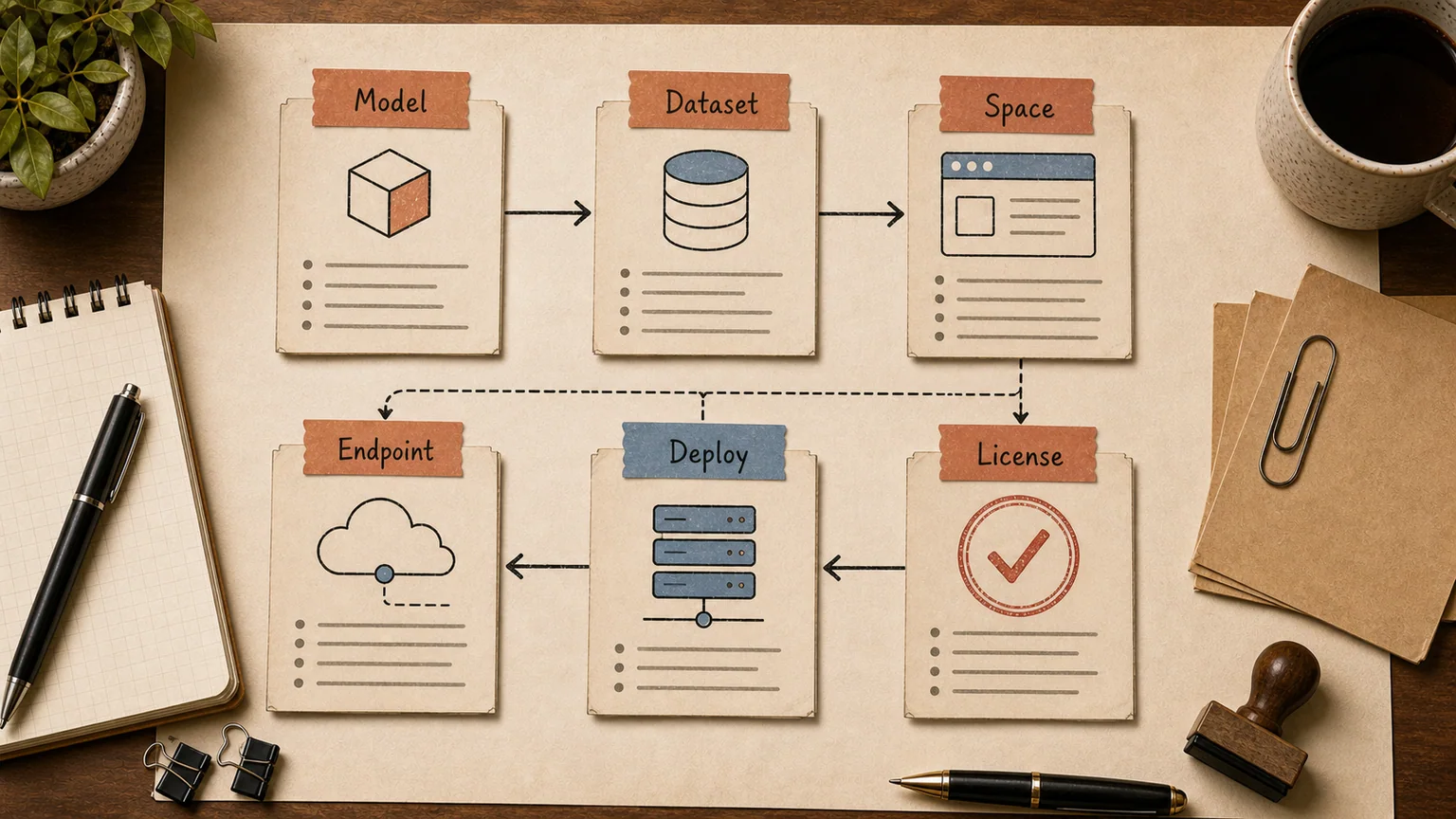
In short
Hugging Face is three things at once: a hub where models and datasets live, a set of open-source libraries (Transformers, Datasets, Diffusers) that run those models, and a managed cloud layer where you can deploy a model without owning GPUs. The Hub lists millions of models, but most teams only ever need a handful for a given task. Scrolling the catalog is not a strategy.
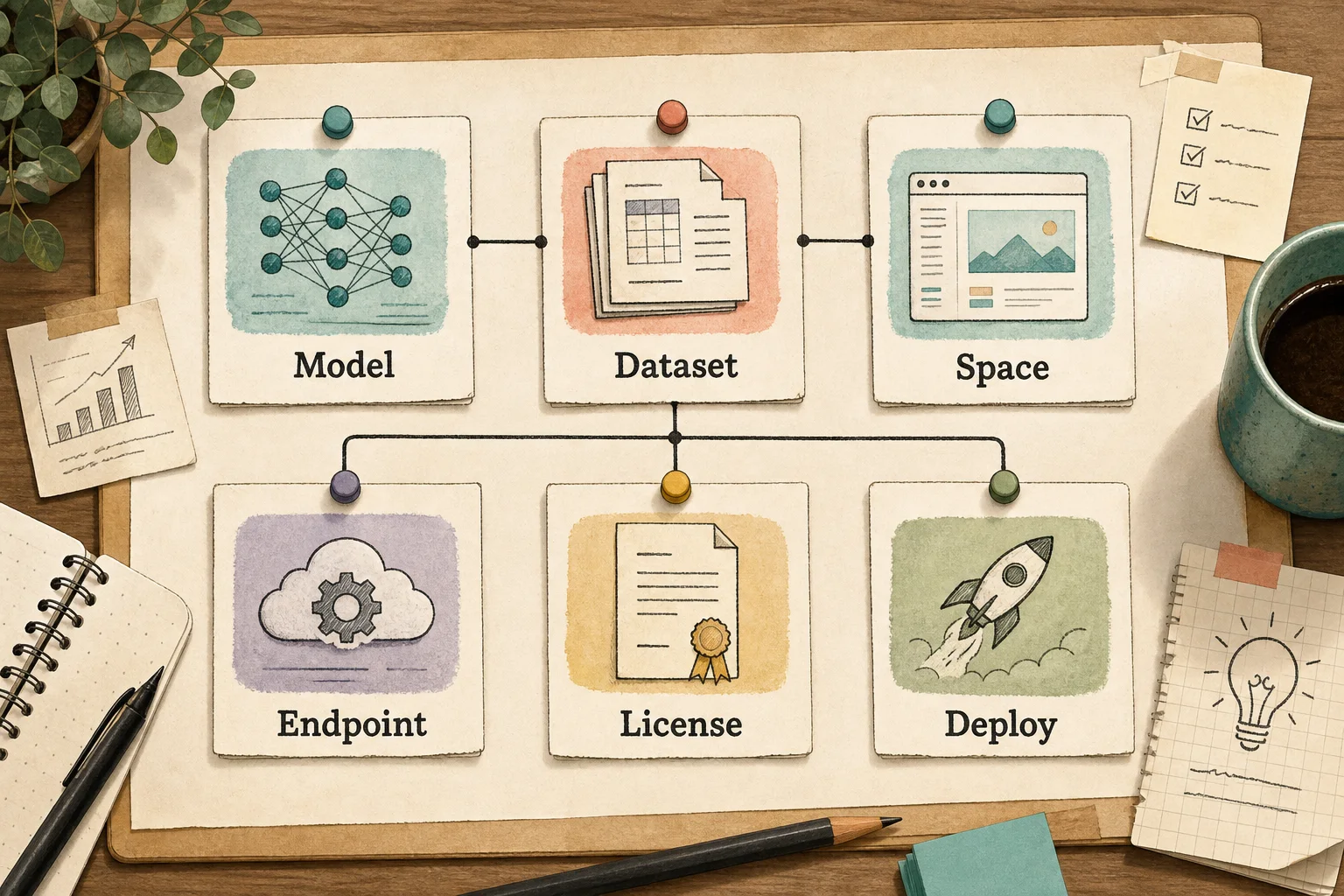
The real value shows up when a model moves from "interesting demo" to "thing running in production." You can try a model for free in a Space, then deploy the exact same checkpoint on managed infrastructure or your own servers without rewriting your application. That move from prototype to production is what most write-ups skip, and it's where teams either save real infrastructure spend or quietly overpay for GPUs sitting idle overnight.
Models, datasets, and Spaces
A model repository on the Hub bundles weights, a config file, and a model card — documentation that states the task, training data, language coverage, and known limitations. Reading the card before pulling the weights matters more than it sounds: it's where you find out a model was trained almost entirely on English web text and will underperform on domain jargon or non-English input.
A dataset repository holds data — text, images, audio, tabular — usually in Parquet or JSON, with a dataset card describing provenance and collection method. For a company, datasets matter in two directions: pulling a public dataset to benchmark your own model, or publishing a cleaned internal dataset if you're planning to fine-tune on your own data.
Spaces are hosted demo apps, most often built with Gradio or Streamlit. In plain terms: you open a model in a browser tab and use it — upload an image, type a prompt, listen to generated audio — without writing code. For a developer, a Space is the fastest way to confirm a model actually does what its README claims before spending engineering time wiring it into a pipeline.
Open source vs API: the real trade-off
There are two paths here, and conflating them is where teams overspend.
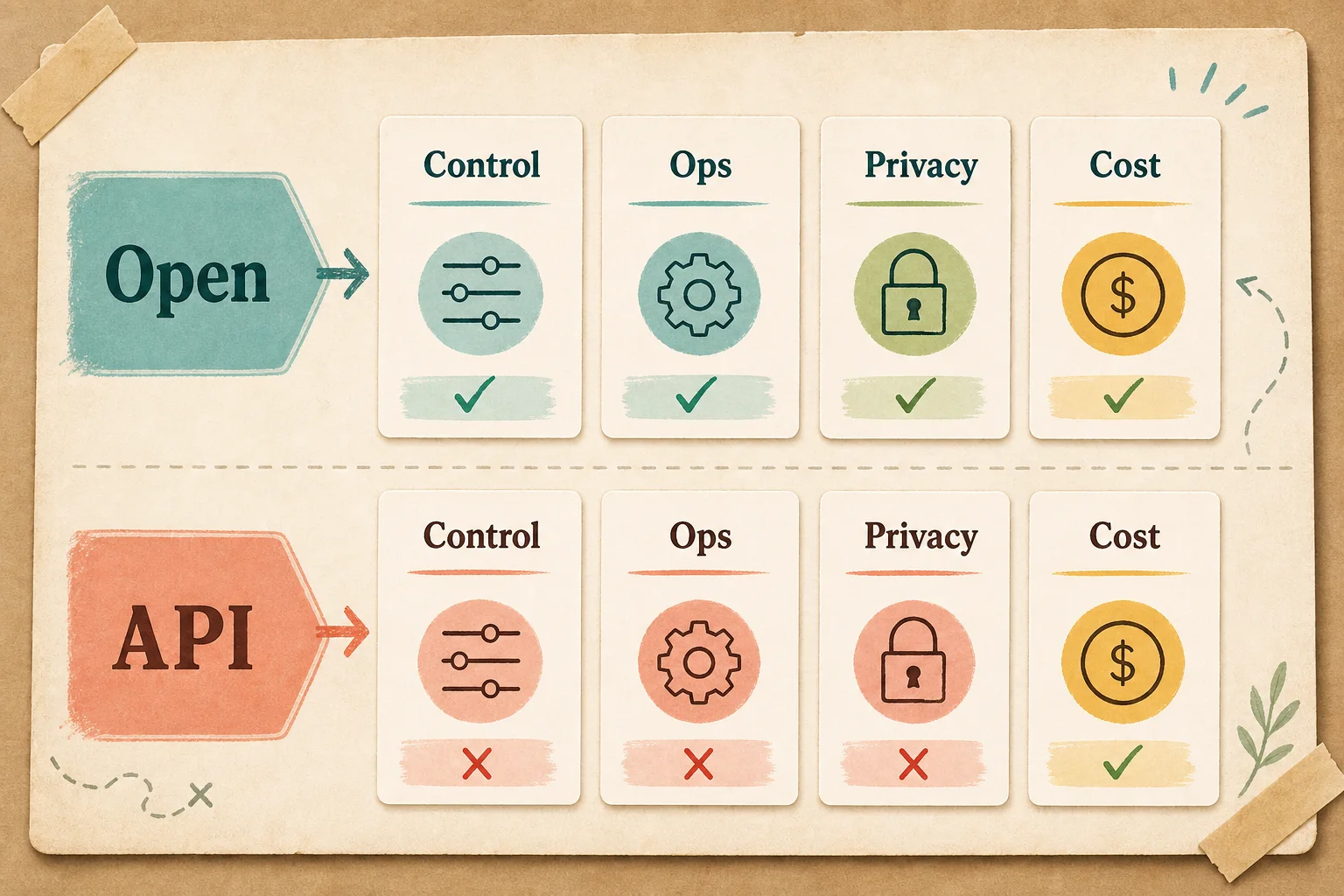
Path one: an open model you host yourself, on your own hardware, through Hugging Face's managed Inference Endpoints, or through another cloud provider. You pay for compute, not tokens. Data stays inside your infrastructure. You can fine-tune the model for your domain. The cost is real: you need DevOps time, uptime monitoring, and a GPU instance that keeps billing whether or not it's handling traffic at 3 a.m.
Path two: a closed model behind an API — GPT, Claude, Gemini. Nothing to deploy, you pay per token for what you actually use, and the vendor handles model updates. The trade-off is that your data leaves your infrastructure, you inherit someone else's SLA, and for a narrow, high-volume task a small open model on your own hardware can end up cheaper per request.
Rough numbers to anchor this: a mid-tier GPU instance running around the clock on managed inference costs several thousand dollars a month regardless of whether it's handling one request or ten thousand. If your traffic is spiky or unpredictable, API pricing usually wins. If your traffic is steady and high-volume, self-hosting an open model often pays for itself faster than teams expect going in.
The option most teams skip is the hybrid: run a heavy but steady workload — embeddings for document search, say — on your own hardware with an open model, and route occasional complex queries to an external API. That's what a mature architecture usually looks like, not a single either/or decision made in week one.
Choosing a model without drowning in the catalog
Filtering by download count and likes is a weak strategy on its own, but a reasonable starting filter. After that, check three things in order: the task the model was actually trained for (translation, embeddings, generation, speech recognition — models are task-specific, not general-purpose despite marketing copy suggesting otherwise), the hardware footprint (a 7B-parameter model in fp16 needs roughly 14GB of VRAM, and that number should shape your GPU choice before you provision anything), and the license.
Licensing is where things get genuinely messy. Some models ship under MIT or Apache 2.0 and are safe for commercial use without a second thought. Others use custom licenses — Llama's community license is the well-known example — with restrictions tied to your product's monthly active users or specific use cases. Read the license before the model is wired into a product, not after legal notices the model card on a call.
Benchmarks on a model card are useful for comparing models within a task, but don't trust them blindly. A benchmark run on an English dataset says nothing about how a model handles industry jargon, accented speech, or a non-English support ticket. The only reliable test is running the model against 30-50 of your own real examples and looking at the actual output.
Fine-tuning and RAG solve different problems
Fine-tuning changes the model itself — its tone, output format, or behavior on a narrow domain. Libraries like PEFT with LoRA let you fine-tune by updating under 1% of a model's parameters, which cuts GPU requirements dramatically compared to full fine-tuning. But fine-tuning doesn't give a model fresh facts about your company. It changes how the model answers, not what it knows.
If the actual requirement is "answer questions using our current internal documents," that's not a fine-tuning problem — it's retrieval. The model pulls the relevant document chunk at query time and answers from it. We covered the mechanics in how RAG works and why vector embeddings alone aren't enough. Hugging Face's Datasets library is useful here for versioning your document corpus, but the retrieval layer itself usually sits on top of the model, not inside it.
A common mistake is reaching for fine-tuning when RAG is the actual answer. Fine-tuning costs more, needs a labeled dataset, and is harder to roll back if the result underperforms. RAG is faster to stand up, faster to test, and easy to switch off if it doesn't work.
Getting from prototype to production
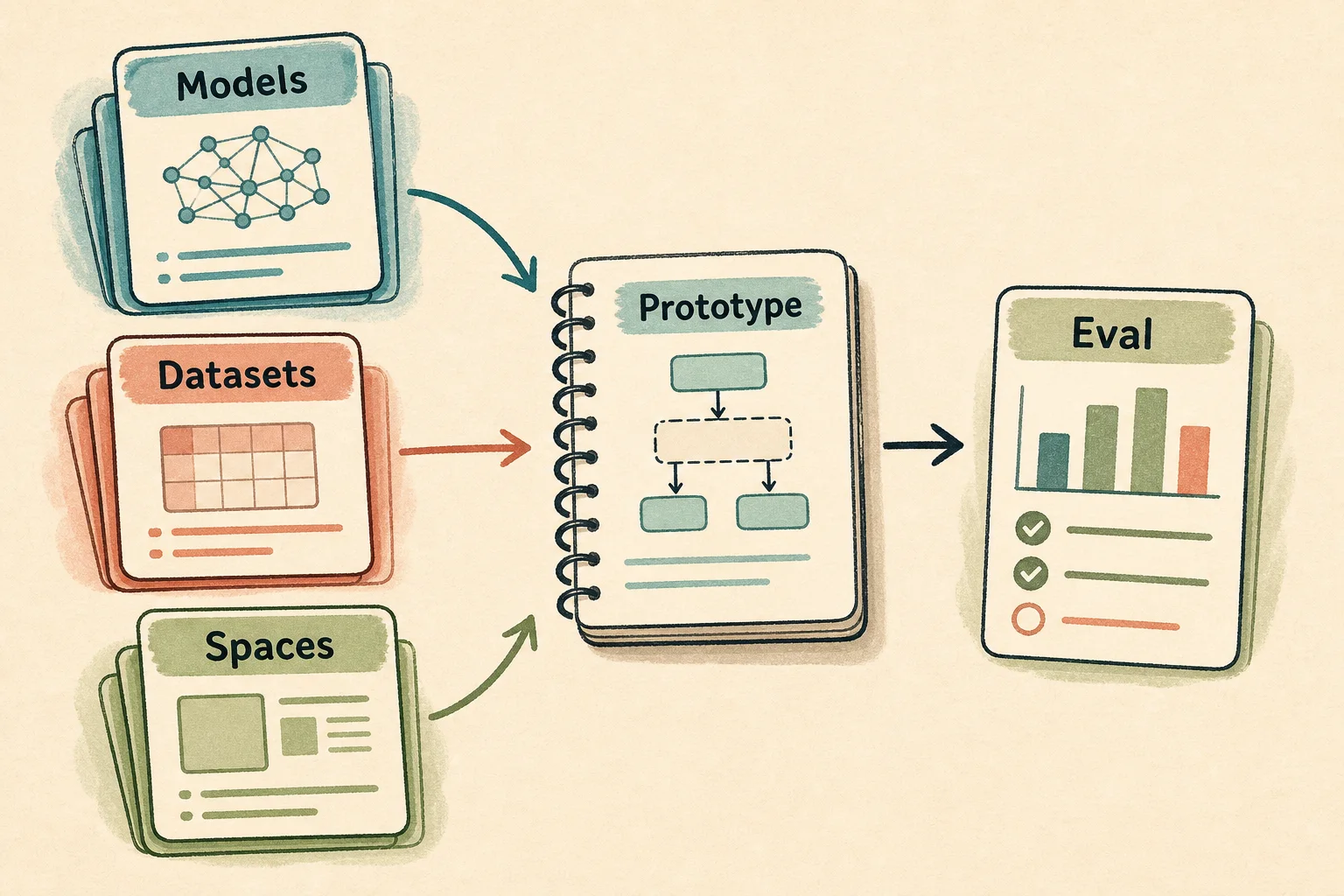
Step one: find a model that matches the task and test it in a Space or locally with the Transformers library against a few dozen of your own examples — not the documentation's demo inputs, where every model looks good.
Step two: run the model through evals — a set of real questions and expected answers, ideally in the language and format the model will actually face in production. We wrote separately about why AI projects need evals, and skipping this step is the single most common reason a pilot looks great in a demo and falls apart a week after launch.
Step three: pick a deployment path. Low, unpredictable traffic usually fits a free or cheap CPU instance on managed inference. Steady, predictable traffic justifies a dedicated GPU endpoint. Spiky, unpredictable peaks are often cheaper through a third-party API billed per token, so you're not paying for idle capacity.
Step four: monitoring and a human in the loop. An open model doesn't page you when its output quality drifts. You build that yourself — logging responses, spot-checking a sample by hand, and setting a confidence threshold below which a request routes to a person instead of an automated answer.
What breaks once real traffic hits
A model that performed well on curated test data often stumbles on real input: casual phrasing instead of formal writing, code-switching between languages in one message, typos, voice-to-text transcripts with dropped words. Models trained mostly on clean, English-heavy datasets tend to be weaker on exactly this kind of input, and that gap rarely shows up until after launch.
The second recurring problem is versioning. A model author can update the weights behind a repository, and if you're always pulling "latest" without pinning a commit, production behavior can shift without anyone noticing. The safer practice is pinning a specific model revision and updating it deliberately, not automatically.
The third is licensing risk at scale. A model that's free for a research prototype can require a commercial license once you cross a certain number of users or a revenue threshold. That needs to be part of the model-selection decision, not something legal discovers after the product is already generating revenue.
Where this leaves an engineering team
For a team working with open models for the first time, Hugging Face is a reasonable entry point precisely because you can test dozens of models for free, without vendor lock-in, before committing to an architecture. But the model catalog is a tool, not a strategy. The real engineering decisions come after: which model to pin, how to test it, where RAG beats fine-tuning, and how any of this connects to the systems the business already runs — a CRM, a support inbox, an internal knowledge base.
If a team wants to work through this hands-on rather than from another blog post, that's the point of corporate AI training — walking through a real model choice, building a RAG pipeline on an open model, and comparing it against an API-based approach using the team's own data instead of a generic market overview.
FAQ
Is Hugging Face free to use?
The Hub itself — browsing, downloading, and running models and datasets — is free. Costs start when you use managed infrastructure: Inference Endpoints, paid GPU Spaces, or inference routed through a paid provider.
Do I need to know Python to use Hugging Face?
For most real integration work, yes — the Transformers and Datasets libraries are Python-first. You can try a model without writing code through a Space in the browser, but production use almost always means Python.
Can I use Hugging Face models in a commercial product?
It depends on the specific model's license. Some ship under MIT or Apache 2.0 with no meaningful restriction. Others use custom licenses with conditions tied to user count or specific use cases — Llama's license is the common example. Check the license per model, before it's integrated into a product.
How is Hugging Face different from using GPT or Claude through an API?
Hugging Face is primarily a catalog of open models plus the tooling to run them, not a single model. You can self-host an open model and keep full control of your data, or use managed inference on Hugging Face's infrastructure. GPT and Claude are closed models available only through their vendor's API — there's no self-hosting path.
Where should a team with no ML background start?
With one narrow task and one open model that fits it: test it in a Space, run it against 30-50 of your own real examples, and price out the actual deployment cost. A broad tour of the model catalog is close to useless at this stage — a deep look at one concrete task is what actually moves the project forward.
If you need help choosing a model, designing a RAG architecture, or wiring an open model into your existing systems, a good starting point is AI development scoped to your use case or integrating GPT and open models into your current stack.