In short
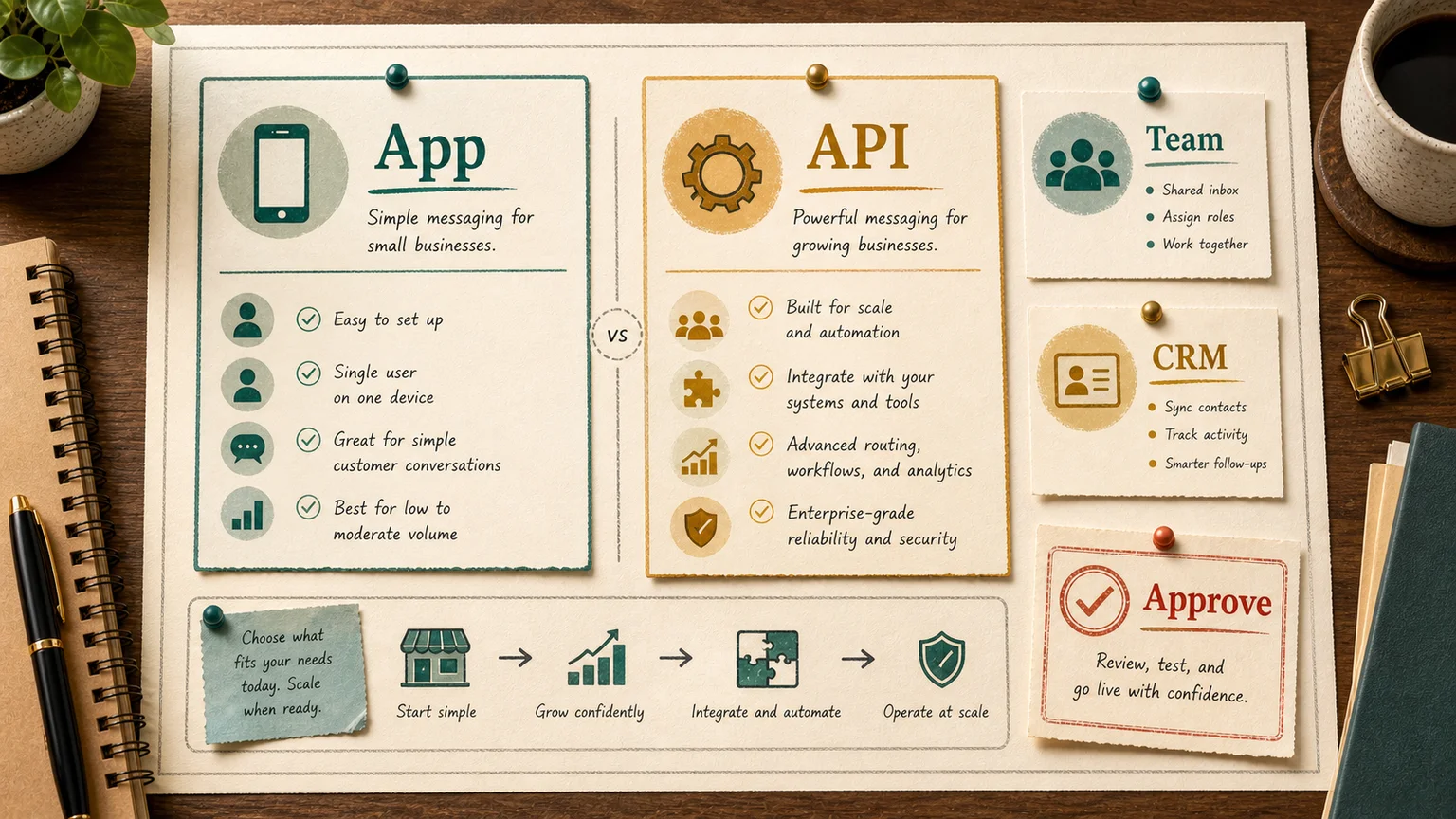
WhatsApp for business is really two products wearing the same name. The free WhatsApp Business app installs on a phone in five minutes: a business profile, auto-replies, a catalog, and broadcasts to saved contacts. The WhatsApp Business API (officially the Business Platform) is a backend you connect to a CRM or chat platform, with per-message billing, multiple agents on one number, and real integrations. Most of the pain companies hit comes from trying to do API-scale work on the free app. That is what gets accounts banned.
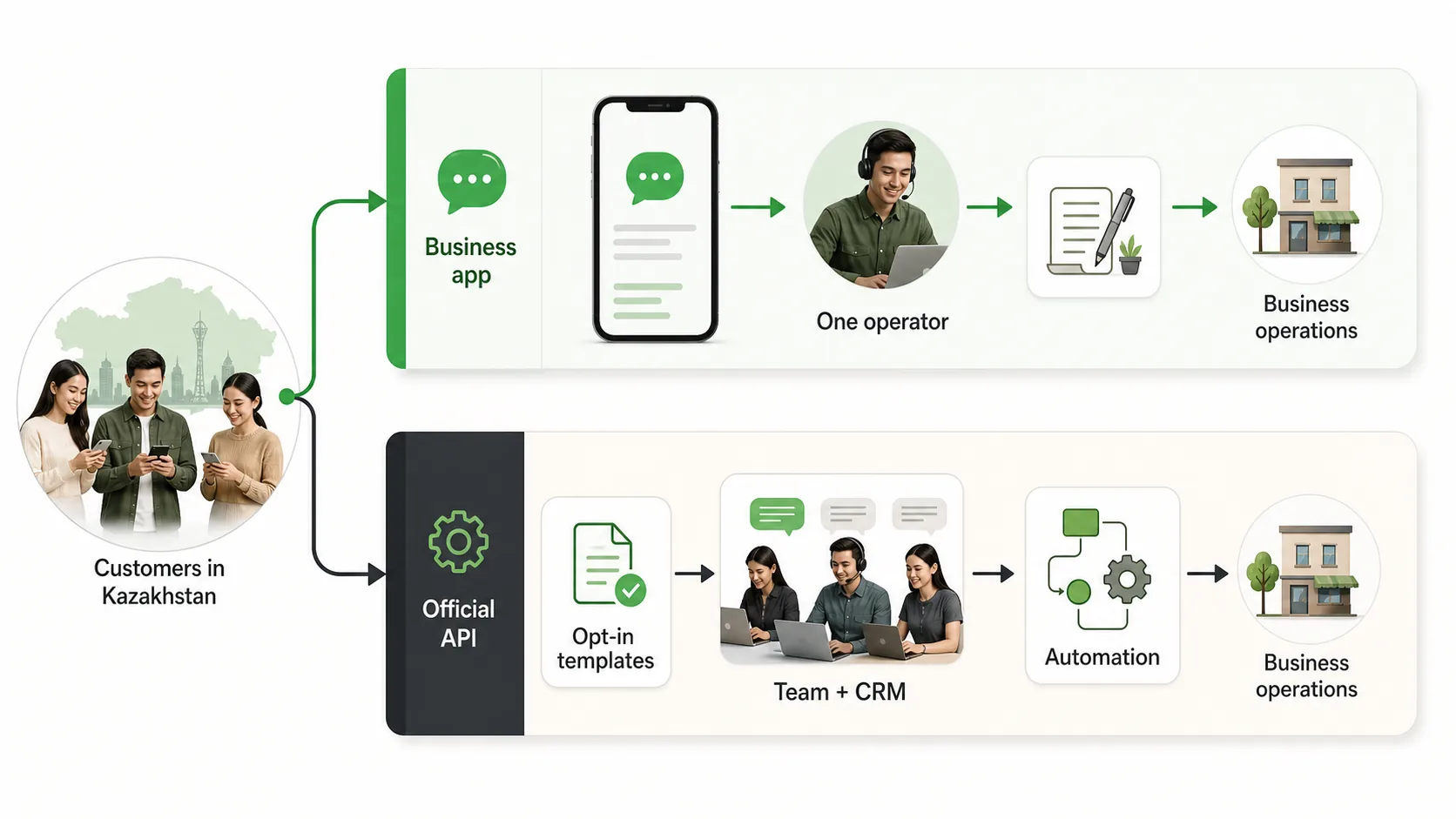
The confusion is understandable, because the products overlap enough to feel like versions of the same thing until you hit a wall. This guide draws the line between them: what each one can actually do, where the limits sit, what the green tick is worth, and the concrete signals that tell you the free app has run out of room. If most of your customer conversations already happen on WhatsApp, that line is a real business decision, not a formality.
Three flavors of WhatsApp, and why they get mixed up
There are three products, and the naming does most of the damage.
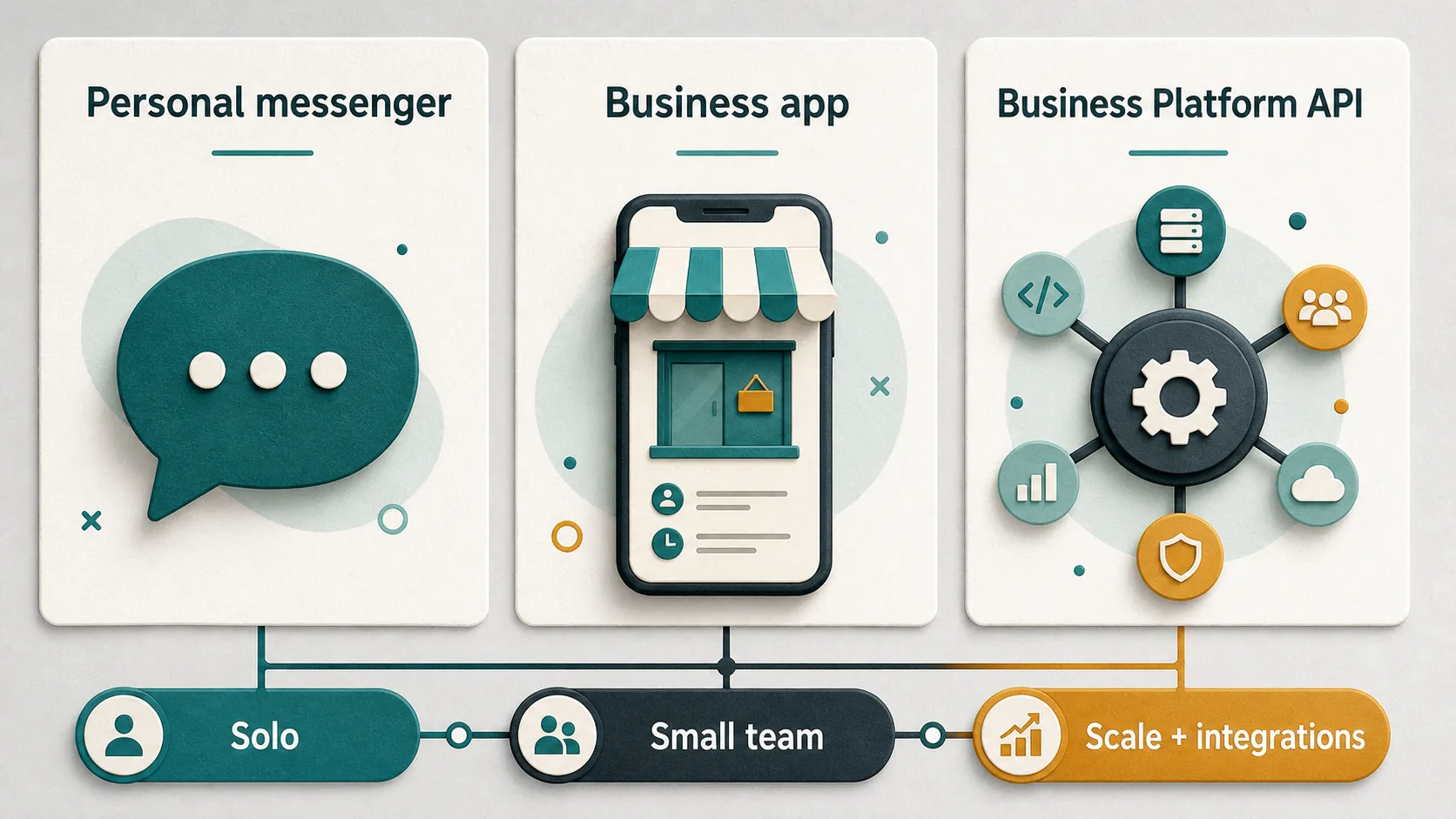
Regular WhatsApp is the personal messenger. Plenty of small sellers run a business off it for years: a personal number, business chats tangled up with family threads, no automation at all. It works until the volume grows.
The WhatsApp Business app is the free tool for small businesses. It adds a proper profile with a name, address, hours, and a catalog link. It has reactive automations: a greeting message, an away message, and quick replies. One number lives on one phone, and one person works the account.
The WhatsApp Business Platform, usually called the API, is not an app at all. It has no interface of its own. You connect it to a CRM, a helpdesk, or your own service, and through it you get template broadcasts, multiple agents on one number, chatbots, and integrations. Meta charges for this, and since July 2025 the charge is per delivered template message.
When a founder searches "WhatsApp for business," they usually mean the free app. When a vendor offers to "set up WhatsApp Business," they usually mean the API. Those are two different conversations about two different products, and a good share of failed rollouts trace back to the two sides never agreeing which one they were talking about.
What the free app actually does
The WhatsApp Business app covers the basics for a solo seller or a small shop, and for a lot of businesses that is genuinely enough.
A business profile looks more credible than a personal number: a logo, a description, an address, links. The customer can see they are messaging a business, not a stranger.
Auto-replies handle some of the routine. A greeting goes out to a new contact, an away message explains the silence at 2 a.m., and quick replies drop canned text into a chat with one tap. None of this is AI. It is scheduled boilerplate, but it covers the first touch. If you need copy for the greeting, we collected 50 WhatsApp greeting message examples you can reuse by industry.
The catalog shows products inside the chat: photo, name, description, price. The app holds up to 500 items. For a shop with a limited range, that is a working setup: the customer scrolls, taps an item, and writes "I'll take it."
Labels keep chats organized: new, paid, awaiting delivery. Simple, but useful once you have dozens of conversations rather than thousands.
That is where the useful features end. The app is built for personal, manual conversations with a small number of customers. Everything past that runs into limits.
Where the app hits a wall
The first and biggest limit is broadcasting. The app has a broadcast list, but it is capped at 256 contacts. And there is a second catch: your message only reaches people who have saved your number in their phone. So a list of 5,000 customers is useless if most of them never saved you. In practice this is not a marketing tool. It is a way to nudge your regulars.
The second limit is bans. People try to get around the broadcast cap with third-party bulk-sender tools and unofficial apps. WhatsApp detects this with machine-learning and bans the account, temporarily first, then permanently. Sending a few dozen messages a day to people who never wrote to you can already flag the account as spam. If that number carries your entire customer flow, a ban means you lost your main sales channel in one move, and recovering a number is not guaranteed.
The third limit is one number, one phone. The app runs a single account on a single device with one operator. The moment you need two or three people answering on the same number, the app cannot do it. Teams start passing a phone around or spinning up a second number, and the conversation history scatters.
The fourth limit is no analytics and no integrations. The app will not tell you how many inquiries arrived, how fast agents replied, or how many chats closed as a sale. It is not connected to your CRM or store, so an order from a chat gets keyed in by hand. Tolerable for one seller, a source of dropped leads for a team.
What the official API gives you
The WhatsApp Business API removes exactly the limits the app runs into, but it asks for money, a provider, and setup work in return.
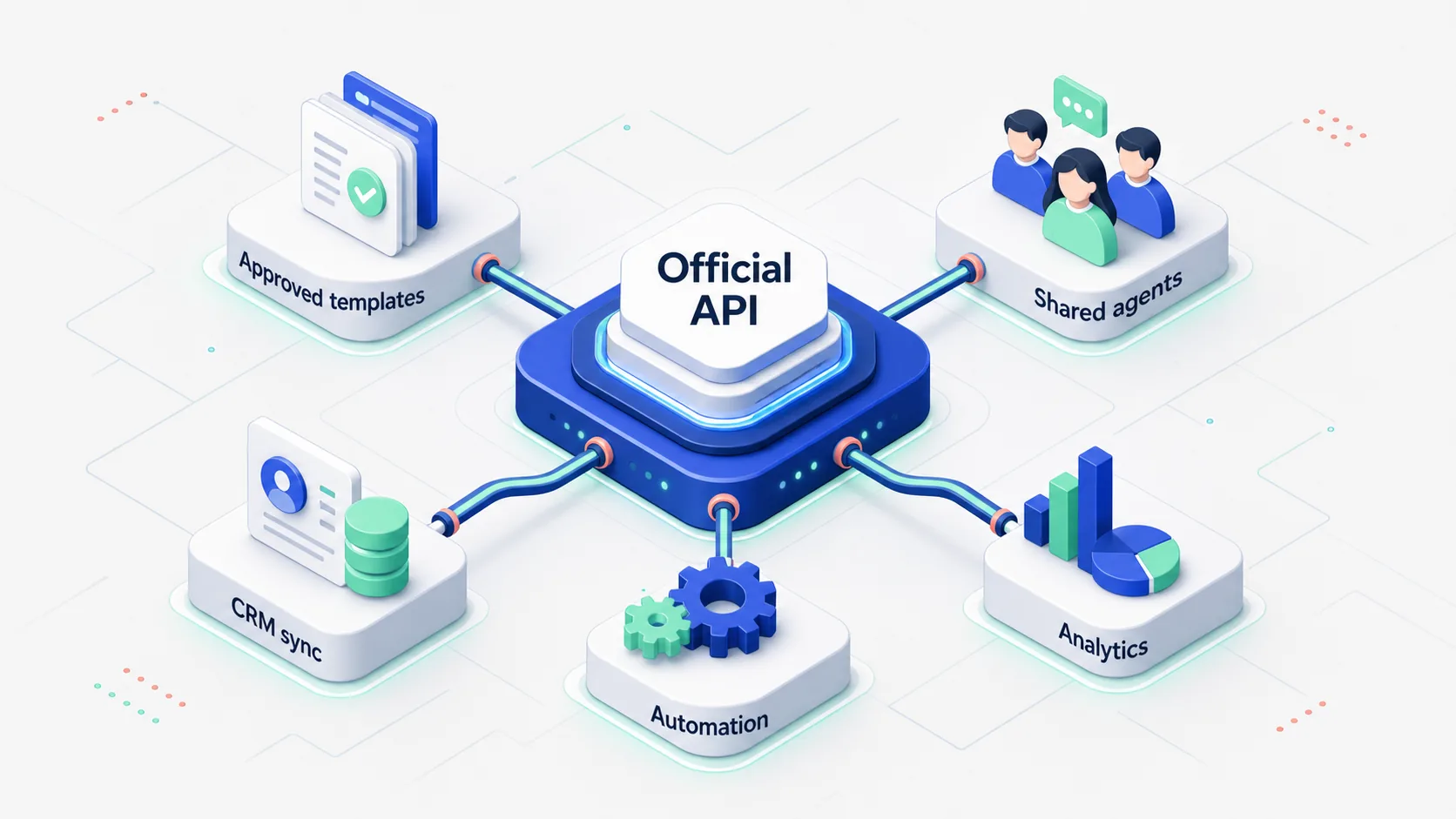
Broadcasts become legitimate. Through the API you send template messages, texts pre-approved by Meta, and the 256-contact cap is gone. The rules are strict: you can only message people who opted in, and only with approved templates, and you pay for every delivered message.
Multiple agents work one number. A whole support or sales team answers customers through a shared interface, a chat platform or a CRM. Nobody hands a phone around, and nothing gets lost.
Integrations and automation become possible. The API is what you attach a chatbot, a CRM, and an AI agent for WhatsApp to. An order can drop straight into HubSpot or your own database, a shipping status can be pulled from your ERP, and the first reply can reach the customer instantly instead of whenever an agent gets to the message.
You get real analytics. The API exposes metrics the app never had: time to first response, resolution time, load per agent. That is enough to manage a team instead of guessing.
All of this runs without ban risk, because you are playing by Meta's official rules instead of working around them.
How API pricing works
This is where most of the misunderstanding lives. There is no fixed subscription from Meta. You pay per message. As of July 1, 2025, the model moved fully to charging for each delivered template message.
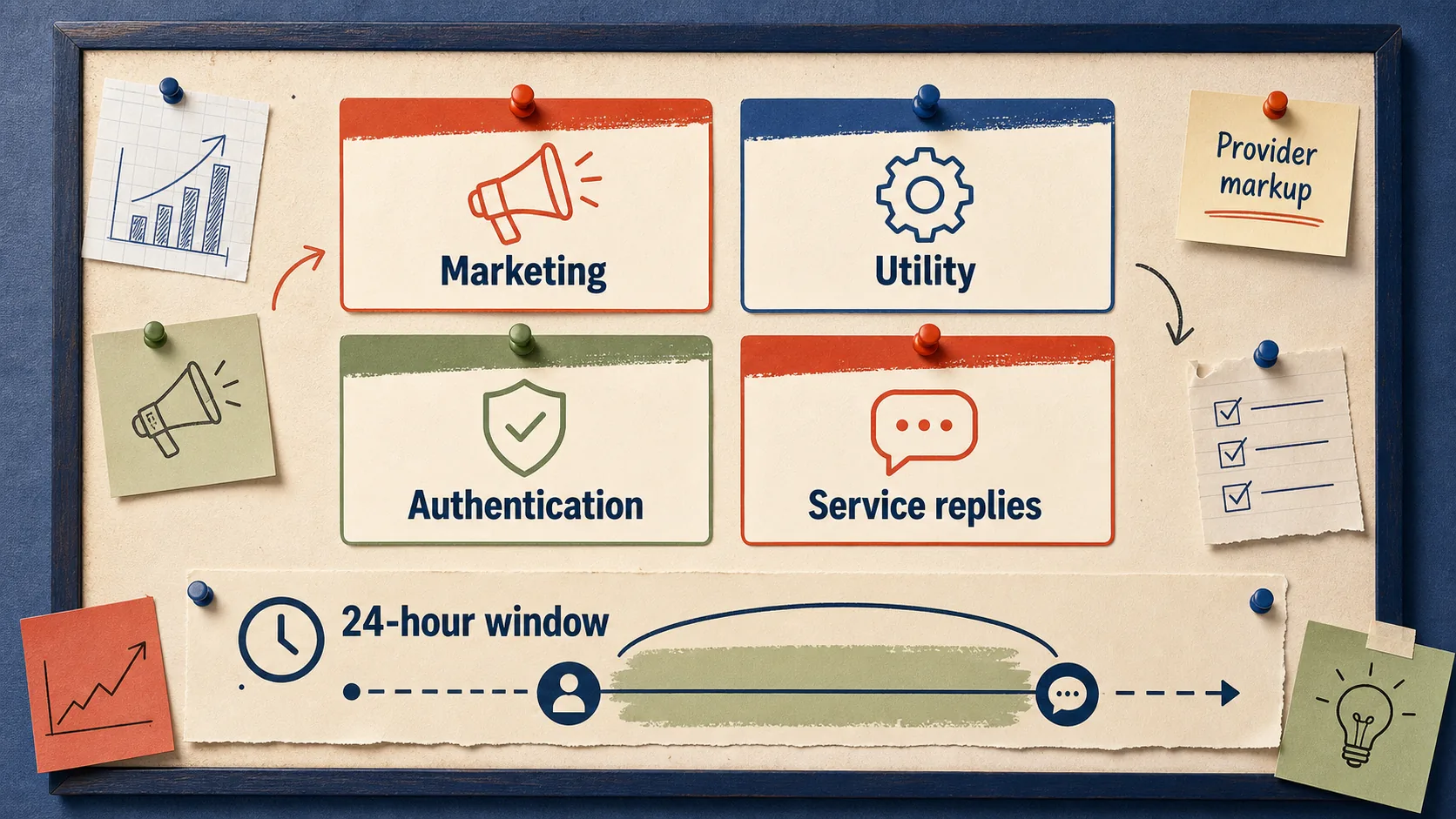
Messages fall into categories, and the category sets the price:
Marketing covers promotions, launches, and re-engagement. It is the most expensive category, because it is advertising.
Utility covers order confirmations, shipping updates, and appointment reminders. Cheaper than marketing.
Authentication covers verification codes and one-time passwords.
Service is your reply to a customer's inbound message. Meta does not charge for these.
Then there is the 24-hour rule. When a customer messages you first, a 24-hour window opens in which you can reply for free. You pay when you open the conversation yourself or reply after the day is up. If most of your customers write first, a large share of your traffic lands in the free window, and you mostly pay for broadcasts and reminders.
On top of Meta's fee there is almost always a markup from the provider you connect through. The final cost depends on volume and on which provider you picked. Run the numbers on your own traffic: how many template messages a month, and in which category.
What the green tick is and who needs it
The green tick is Meta's official business verification. In the interface it has not actually been green for a while. In 2024 Meta unified the badges across Instagram, Facebook, and WhatsApp into a single blue mark. Out of habit, people still call it green.
You can only get the tick on the API. The free app does not offer it. And it is not a "buy a checkmark" button: you go through business verification in Meta Business, and the brand itself has to be notable enough for Meta to grant it. Plenty of small companies get turned down, and that is normal.
The practical value is smaller than people assume. It raises trust, since a customer can see this is a verified business and not an impersonator. But it does not change your limits, your pricing, or your features. Chasing the tick for its own sake is a waste of energy. It is a nice bonus for a recognizable brand, not a reason to move to the API.
The catalog, and where the line falls
Both the app and the API have a catalog, but they work differently.
In the app the catalog is a storefront: the customer scrolls, picks, and messages you manually. Up to 500 items, all edited by hand on the phone. Fine for a small shop.
On the API the catalog becomes part of the sales flow. You get Multi-Product Messages, up to 30 items in a single message, where the customer builds a cart right in the chat and sends the order back as a structured message. You can sync the catalog with your store, so prices and stock do not drift. For an ecommerce store with a large range, maintaining a catalog by hand in the app turns painful fast, and the road leads to the API.
A simple test: if the whole range fits in a seller's head, the app is enough. If the assortment changes constantly, stock lives in another system, and you have a website, the catalog needs to sync through the API.
When to choose which
Stay on the free app if you are a solo seller or a small team, customers arrive in the dozens per day, you rarely broadcast and only to saved contacts, and you are fine keying orders into a spreadsheet by hand. Do not pay for the API for capabilities you will not use.
Move to the API when at least one of these is true. You need legitimate broadcasts to a list of more than a couple hundred people. Several agents have to work one number. You want a bot or an AI agent so replies go out instantly and overnight. Orders should land in a CRM or a support system automatically instead of being retyped. You need to measure response time and team performance. Or you already ate a ban for broadcasting and do not want a repeat.
Growth is the other common trigger. While volume is low, one person on the app copes. Once the flow grows and you are still passing a phone between managers, you start losing leads simply because you cannot answer fast enough. That is the moment to switch.
How to migrate without losing anything
Moving to the API is not "delete the app, install the API." A few things are worth knowing up front.
The number. A single number cannot live in the free app and on the API at the same time. Migrating a number to the API removes app access for it. Many teams take a fresh number for the API and keep the old one for personal chats, but then you have to move customers to the new number, which is painful. Decide this before you connect, not after.
Chat history. It does not carry over from the app to the API automatically. If the context of old conversations matters, plan how to preserve it.
The provider. The API is connected through a provider, and that choice drives your price, your support speed, and the platform you end up locked into. Switching providers later is its own headache. We wrote a separate guide on choosing an implementation vendor for exactly this kind of decision.
Templates. Every broadcast message on the API goes through Meta's review. Work out which templates you need in advance and leave time for approval.
The sensible path is not to break a working app on day one. Connect the API on a separate track, set up broadcasts and integrations, test on live traffic, and only then move the main flow over. How to structure that pilot and what to measure early is covered in our piece on the WhatsApp AI agent.
FAQ
Is WhatsApp for business free?
The WhatsApp Business app itself is free: you install it, use the profile, auto-replies, catalog, and broadcasts to saved contacts. Only the API costs money, where you pay for delivered template messages plus a provider markup.
Can I send bulk broadcasts from the free app?
Not really. The broadcast list is capped at 256 contacts, and it only reaches people who saved your number. Trying to bypass the cap with third-party tools gets the account banned. Legitimate broadcasts to a large list are an API job.
Will my number get banned for broadcasting?
If you broadcast from the free app through gray bulk-sender services, the ban risk is high and real. A temporary ban first, then a permanent one. On the API, broadcasts to opted-in contacts using approved templates do not carry that risk.
Do I need the green tick?
Probably not, unless you are a large, recognizable brand. The tick raises trust but does not change features, limits, or price. You can only get it on the API and only after business verification in Meta, and small companies are often declined.
When is it clearly time to move to the API?
When one operator is no longer enough, you need legitimate broadcasts to a large list, you want a bot or an AI agent, or orders should flow into a CRM by themselves. Another clear signal is losing a number to a ban.
If you are unsure where to start, start with an honest question: what actually breaks in your current WhatsApp setup. If what breaks is response speed and reach, that is a job for the API and automation, not for one more person holding a phone.