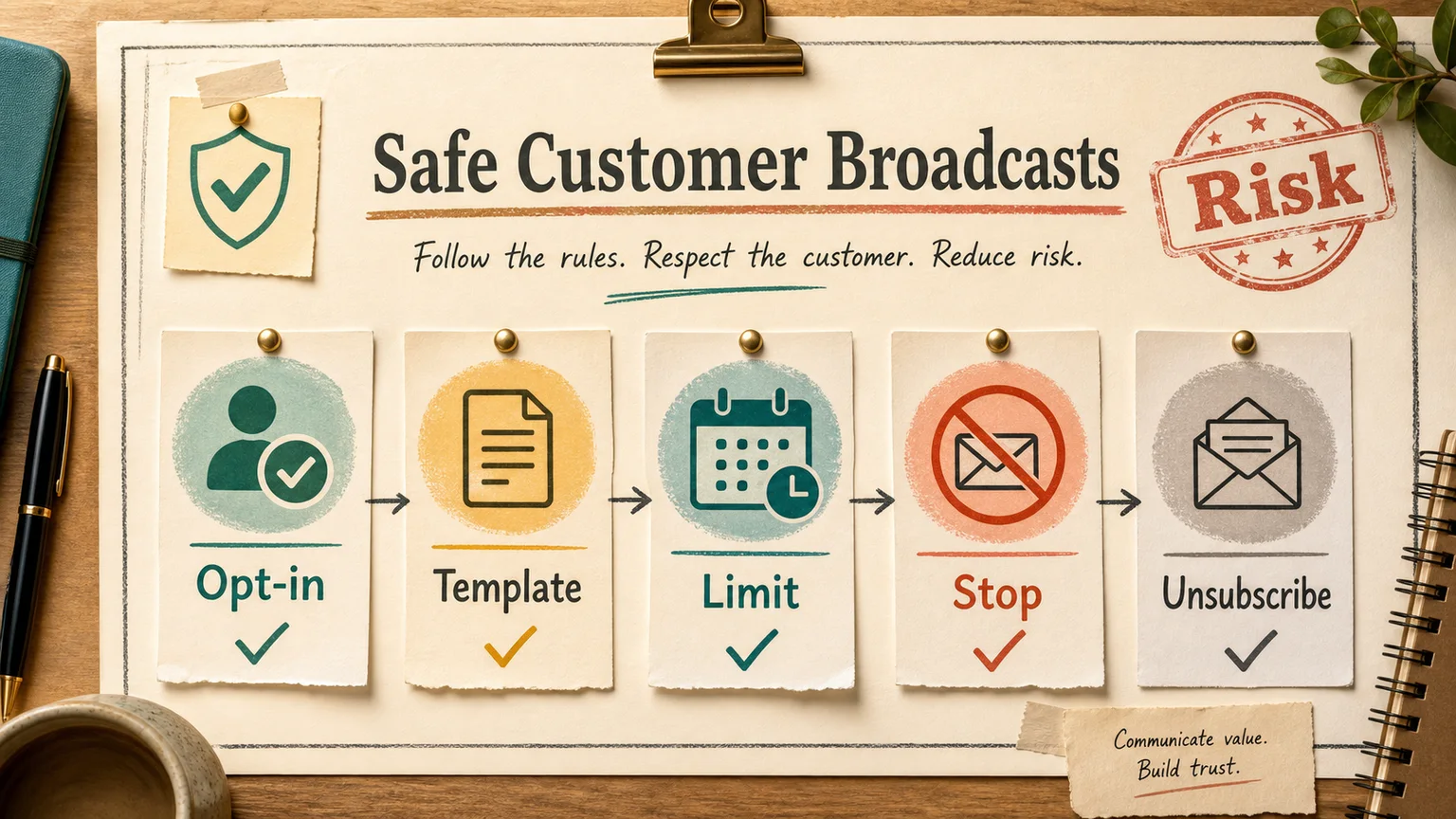
In short
There is exactly one reliable way to send WhatsApp broadcasts to customers without getting the number banned: the official WhatsApp Business API (often called WABA, or Cloud API when self-hosted through Meta), sending Meta-approved message templates to people who opted in for that specific kind of message. Everything else — bulk-send tools bolted onto a personal number, automation scripts that click through WhatsApp Web, "warmed" SIM farms — gets flagged sooner or later. Not if. When.
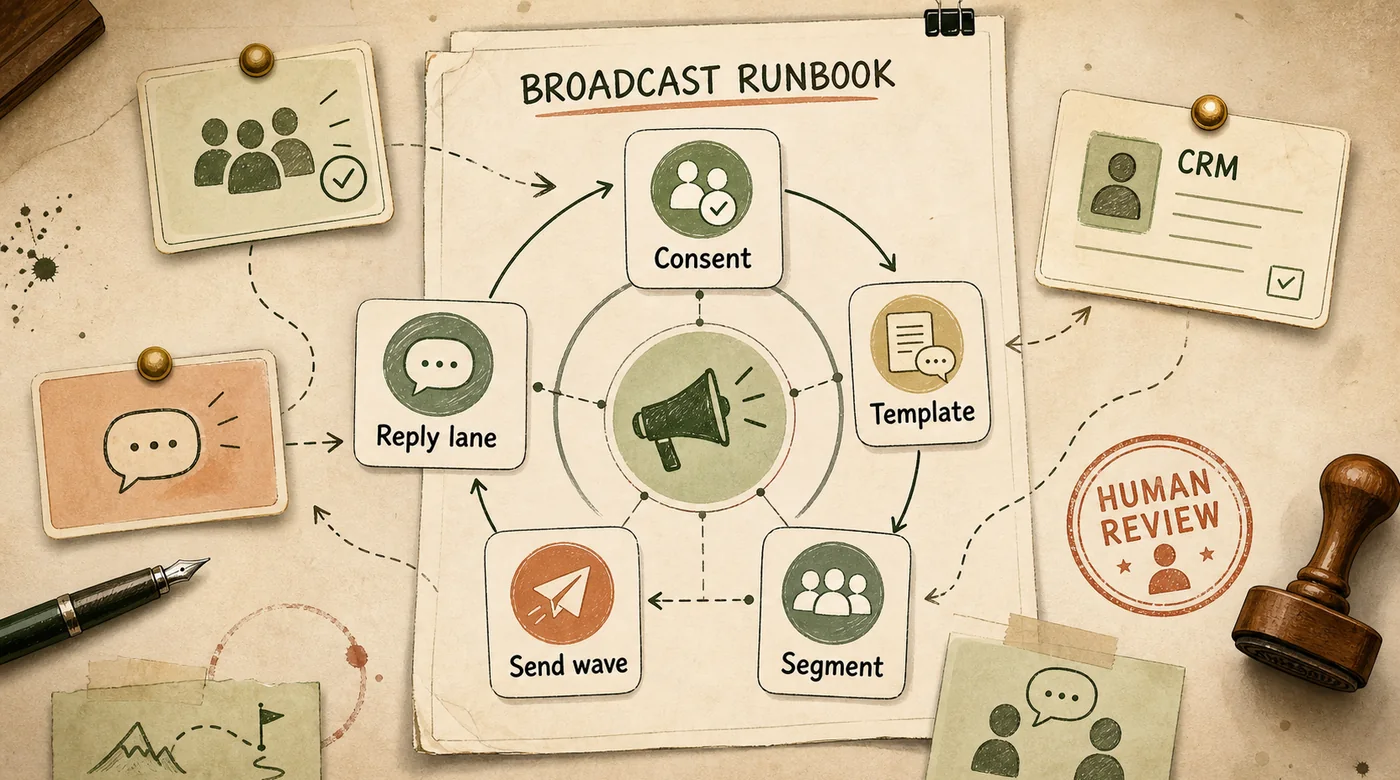
Most teams find this out the expensive way. Someone exports a customer list, runs it through a cheap bulk-sender, gets a burst of replies and orders for a week or two, then wakes up to "This account is not allowed to use WhatsApp." The number is gone, along with the conversation history and, often, the support inbox tied to it. The official route takes longer to set up — business verification and template approval usually run three to seven days — but it does not evaporate every time the list grows.
Why WhatsApp bans bulk senders
WhatsApp was built as a peer-to-peer chat app, and its anti-spam system still reasons about behavior the way it would for a person, not a business. It watches send velocity, how many first-contact messages go to numbers with no prior conversation history, how many recipients tap "Report," and whether anyone replies at all.
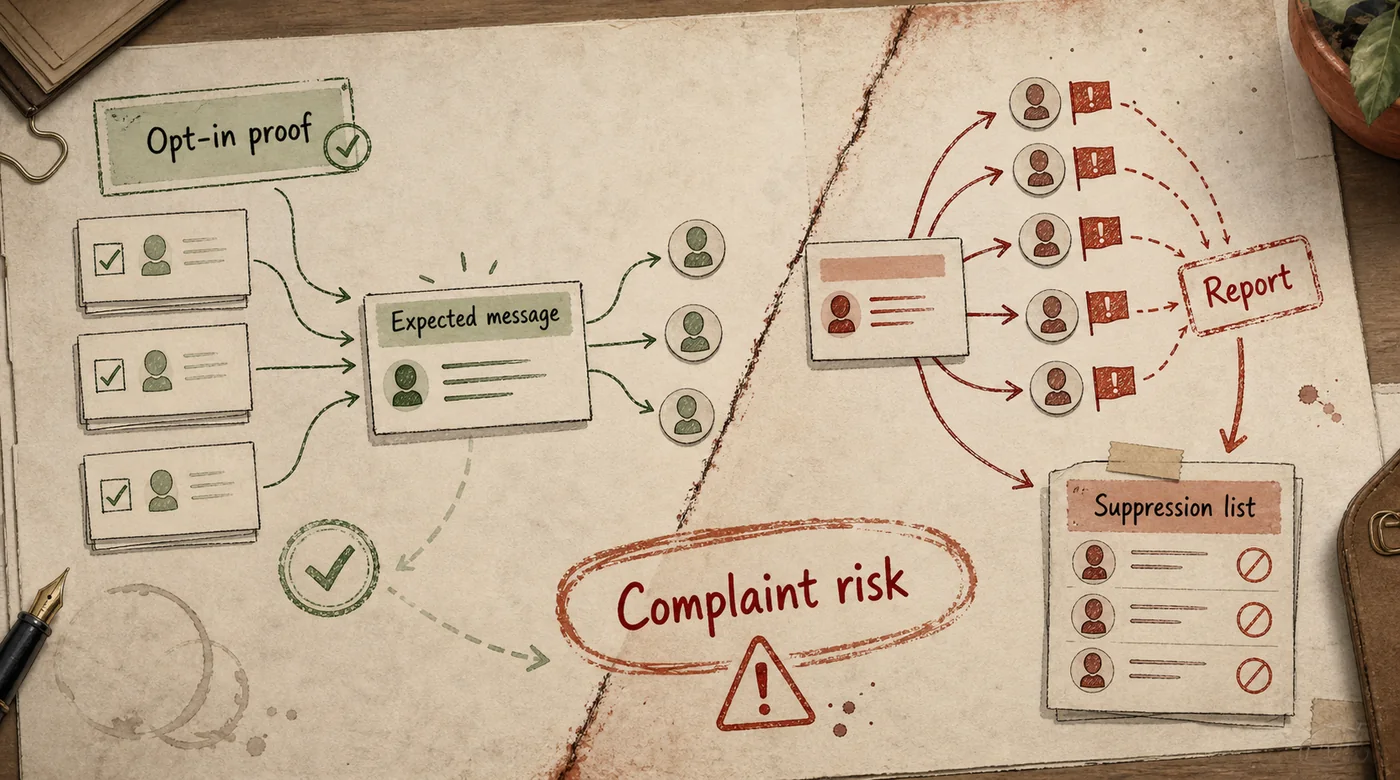
Gray-market senders try to look human — randomized delays between sends, rotating device fingerprints, sometimes a pool of SIMs cycling through an antidetect browser. That works until the first wave of complaints. One irritated recipient taps "Report," and WhatsApp gets a signal it weighs heavily. Enough reports in a short window and the number first loses functionality — no new contacts, no media — then gets banned outright, usually with no warning.
A separate trigger is sending from a brand-new number. A SIM activated yesterday, converted to WhatsApp Business this morning, pushed through a bulk sender this afternoon reads as a bot from minute one. The fix is boring: let a new number carry a few days of ordinary back-and-forth conversation before it ever touches a broadcast.
How the official path actually works
The WhatsApp Business API is not an app you install — it is API access to WhatsApp, provisioned through Meta and typically set up via a Business Solution Provider (Twilio, 360dialog, MessageBird, and similar). The provider usually handles Meta Business verification and phone number registration.

Platform reference: the official WhatsApp Help Center page on broadcast lists, public page checked in July 2026. The image above is an editorial quality-monitoring visual, not a product screenshot.
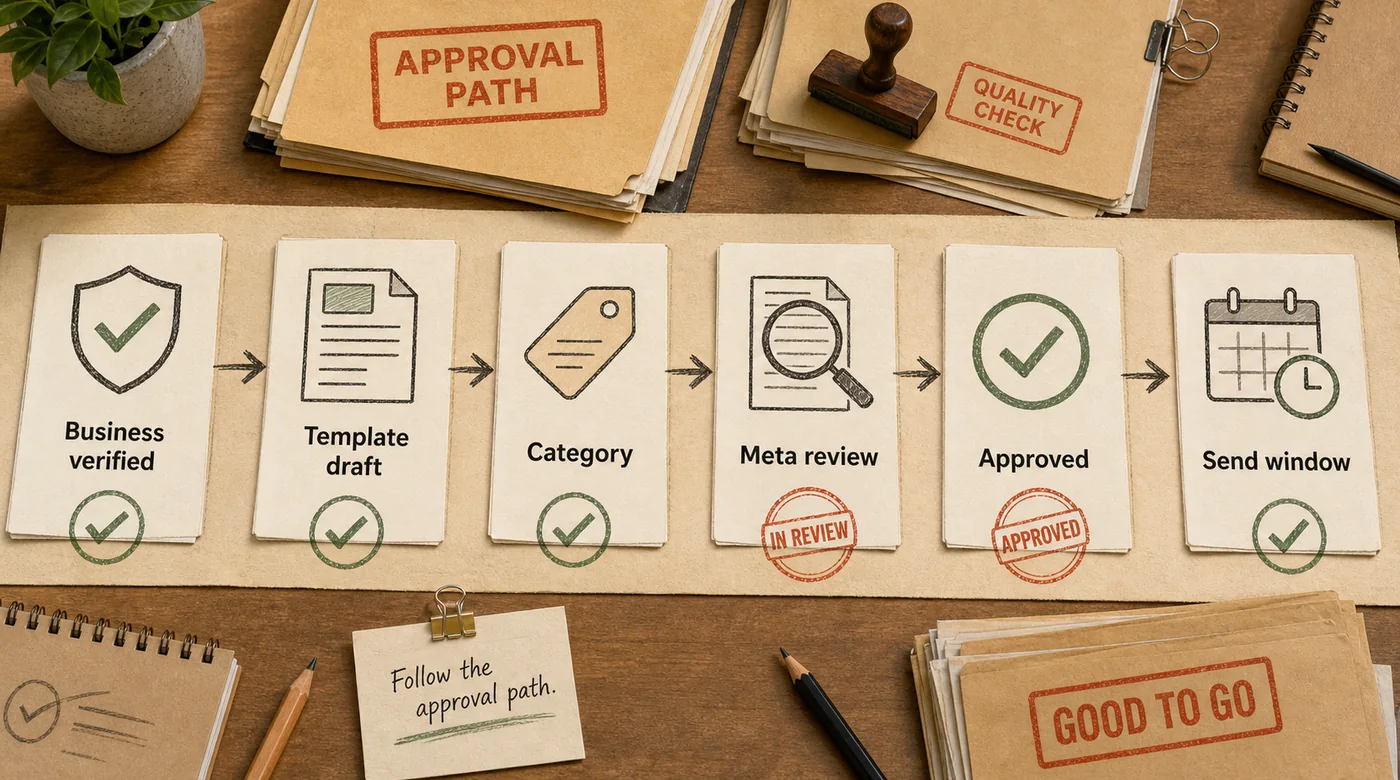
Once verified, a business can send two kinds of messages. The first is free-form text inside the 24-hour customer service window: if a customer messaged first, the business has 24 hours to reply with anything, no template required. That window is for conversation, not for broadcasting to a list.
The second is template messages, pre-approved by Meta. A template is the only thing that can reach a customer who has not messaged recently or whose 24-hour window has closed — which makes templates the actual mechanism behind every WhatsApp broadcast.
Templates get submitted for review under a category — Marketing, Utility (order confirmations, shipping updates, appointment reminders), or Authentication (one-time codes). The category sets both the rules and the price: marketing templates require explicit opt-in and cost more per conversation, utility templates clear review with a lighter touch and price lower. Review usually takes minutes to a couple of days; rejections tend to come from vague copy or marketing content dressed up as a utility notice.
Every number also carries a quality rating — High, Medium, or Low — that Meta recalculates continuously from blocks, reports, and reply behavior. That rating sets the messaging limit: how many unique customers the number can reach outside the service window in a rolling 24 hours. A new business phone typically starts capped in the low thousands and scales with sustained good behavior; a Low rating throttles it down hard. Sending an ignored or reported template twice does not just waste a send — it shrinks next week's limit.
Consent sets the ceiling, not the floor
WhatsApp does not accept a general "we may contact you" checkbox for marketing templates — the opt-in has to name the business and describe what the customer will actually receive: promotions, order updates, appointment reminders. This lines up with GDPR in the EU and similar consent rules elsewhere; a vague blanket opt-in is weaker legally and performs worse in practice, because customers report messages they did not expect.
Most companies already sit on a list that predates any of this — a CRM export, a Shopify customer list, a spreadsheet from a trade show. Dumping that list straight into a marketing template invites an immediate wave of reports on a number that just got verified. The fix is to run the first message to a legacy list as a utility message rather than marketing — "we've updated our support number, here it is" — and let the response earn that contact a place in the next marketing send.
Segmentation and frequency decide the outcome
Blasting the entire list with one message is the fastest way to trip the ban threshold. WhatsApp has no "send to everyone" mode that ignores context, because different segments react differently, and a spike of negative signal from one segment drags down the whole number's rating.
A workable split usually looks like: recent purchasers (utility confirmation or a light upsell), lapsed customers (win-back, but no more than every one to two weeks), and anyone who has already ignored two or three messages in a row — who should come out of the send list entirely rather than get a louder message. Anyone who ever replied STOP or asked not to be contacted goes on a hard suppression list; sending to them again is close to a guaranteed report.
Meta does not publish a hard frequency number, but the field pattern is consistent: one to four marketing messages a month per contact is a reasonable range for most verticals, e-commerce with frequent promotions being the main exception. Every send past that range raises report risk faster than linearly — the gap between two messages a month and eight is not a small one for the account's health.
What to do with an existing customer list
Three moves if broadcasts have never run through the API before, or a personal-number tool got banned already. Check where the list came from: numbers collected at checkout, booking, or a signup form are usable; numbers bought or scraped from a third party should not go into a marketing send, since the reports are close to guaranteed and there is no real consent behind them. Warm the number and send in waves: start with a few hundred contacts who have recent, relevant interaction history, ideally with a utility message first, then widen gradually instead of pushing the whole list at once. And put an opt-out instruction directly in the template copy — "Reply STOP to opt out" — which gives recipients an easier exit than the Report button.
When a broadcast needs to become an agent
A broadcast is a one-way push. The real workload starts right after it lands: customers reply with questions about the offer, ask if a product is in stock, or want to know who is messaging them. Leave that inbox unattended and it reads to customers as being ignored — which is its own path to a report.
Once broadcasts run on a regular cadence and generate a reply volume, it is usually cheaper to put a lightweight AI agent behind the same WhatsApp number to handle the predictable follow-ups — is the offer still valid, where is the nearest location, how do I return this — and hand anything unusual to a person. The same pattern of automated first response paired with a human handoff shows up in how AI answers customers in WhatsApp.
It also pays to wire the send list to a live CRM segment instead of a static spreadsheet export — recent purchasers, overdue renewals, abandoned carts — rather than reusing the same flat list every time. That kind of integration is covered in more detail in AI with CRM integration. In Magnum Notifications, order-status messages went out by order segment rather than a blanket customer list, which is part of what kept the sending number's quality rating high and cut irrelevant sends.
If broadcasting is one piece of a larger effort to run WhatsApp as a real sales channel rather than an occasional blast, it is worth reading it as a process rather than a campaign — see AI for a sales team for how that process holds together end to end.
Frequently asked questions
Can I just broadcast from the regular WhatsApp Business app?
Technically, yes, but the free app's broadcast list caps at 256 contacts, and a message only lands for recipients who already have the business number saved in their phone. That can work for a small, loyal customer base sending occasional updates. It does not hold up for regular marketing to a growing list — the 256-contact ceiling and the dependence on saved contacts make delivery unpredictable, and running bulk-send automation on top of the consumer app is exactly the pattern that gets flagged.
How much does WhatsApp Business API access cost?
Provider setup, including business verification, usually takes a few days to a week. After that, pricing is conversation-based: marketing conversations cost more per session than utility or authentication conversations. The exact rate depends on the provider and country, but for a small-to-mid business the first few months typically run in the low hundreds of dollars, not thousands.
What actually happens if I ignore templates and just send bulk text through a third-party tool?
Eventually, the number gets banned, usually without warning and with very little chance of appeal through Meta support. If that number is also the business's main support line, the loss is not just the broadcast channel — it is the entire customer conversation history and inbox.
Can a banned number be recovered?
Rarely. Appeals succeed inconsistently, and most businesses end up registering a new number, re-verifying, and migrating the list rather than waiting on a reversal. That is the practical argument for starting on the API rather than risking the cycle every few months.
Sending WhatsApp broadcasts without a ban is not a clever workaround — it is unglamorous discipline: the official API, opt-in tied to a specific message type, real segmentation, and a frequency that respects the channel. Teams that already burned a number on a gray-market tool usually move faster to WABA than they expect, because most of the work is cleaning up the contact list, not the technical setup.