
In short
"Document workflow software" hides several different jobs under one label. Getting a contract signed is not the same as routing an invoice for approval, and neither is the same as storing and finding records five years later. Before comparing DocuSign, PandaDoc, an e-signature API, and a full enterprise EDMS, decide which job you actually need. Most buying mistakes come from picking a category, not a tool.
There is no single best platform. There is a best fit for a specific document flow, a specific integration stack, and a specific budget. This guide walks through the decision the way a buyer should run it: define the flow, compare on the criteria that actually diverge, and watch for the costs that do not show up on the pricing page.
First, name the job you are buying for
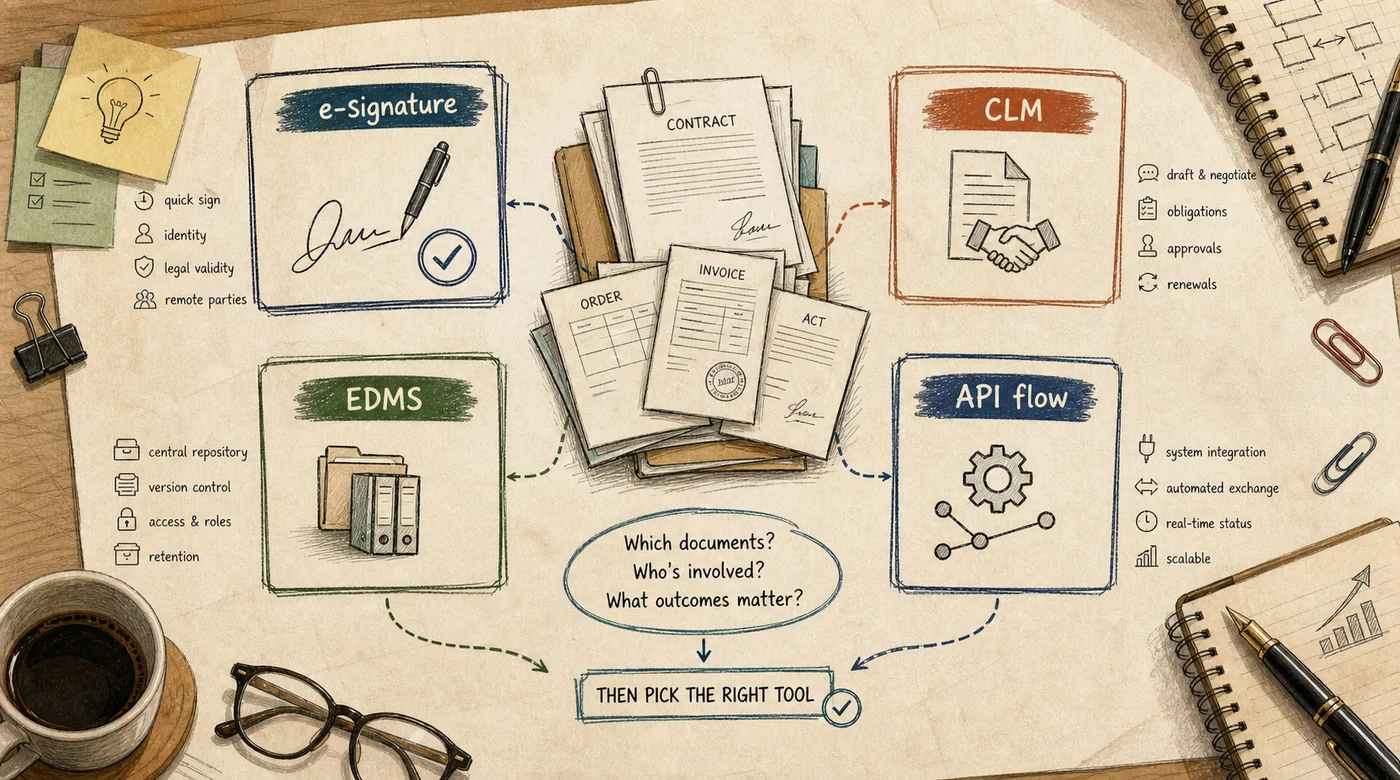
The first fork in the road wastes the most money. Vendors sell overlapping products under similar names, so it is on you to separate the jobs: e-signature, contract workflow, electronic acts, tax invoices, or full document management.
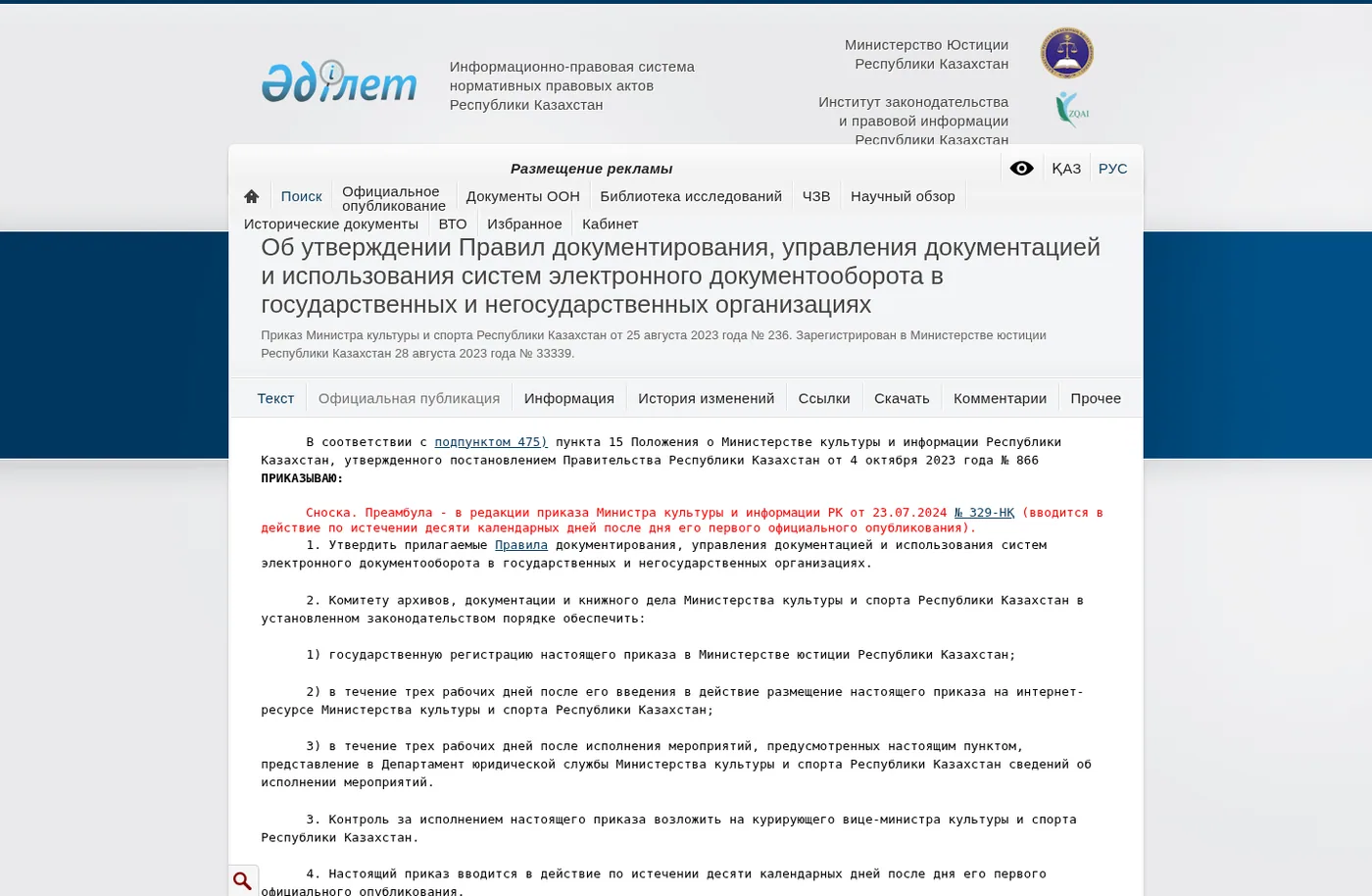
Source: the Adilet page with Kazakhstan documentation and electronic document workflow rules, public page captured in July 2026.
E-signature is the narrowest one. You send a document, someone signs it, you get a legally valid record back. Fast to buy, cheap to start, and often all a small team needs. DocuSign, Dropbox Sign, and SignWell live here.
Contract lifecycle management (CLM) is broader. It covers drafting from templates, redlining, approvals, signature, and renewal tracking. This is where per-seat pricing and workflow complexity climb quickly, and where a light e-signature tool stops being enough.
An enterprise document management system (EDMS) is a different animal again. It centralizes storage, version control, search, retention, and access rules across contracts, employee records, and internal files. Operations, compliance, and IT own it, not a single sales team.
The practical move: write down the documents you push, who touches them, and how often, before you look at a single price. A three-person team that mostly needs signatures should not be shopping for a records platform. A regulated firm managing thousands of contracts should not try to stretch a $25 e-signature plan to cover the whole lifecycle.
The criteria that actually diverge
Once the flow is written down, comparison gets honest. These are the axes where tools genuinely differ, not where marketing pages agree.
Legal validity of the signature. In most markets, an electronic signature carries the same legal force as a wet one when it meets the local standard, so confirm the tool supports the signature types your jurisdiction and counterparties require. Cross-border deals raise the bar: a signature valid at home may not satisfy the other side's regulator. If you operate across regions, check qualified signature support and audit-trail standards before, not after, you sign the contract.
Pricing model and where it bites. This is the criterion buyers underestimate the most. DocuSign, for example, splits into Personal, Standard, Business Pro, and Enterprise tiers, and the feature you need has a habit of sitting one tier above where you started. Teams rarely leave because the product is bad. They leave because the pricing math stops working once real volume and add-ons show up. Price your actual monthly flow, not the entry number.
API depth and automation. If you want documents to move by themselves, generate a contract from your CRM, kick off approval on an event, pull statuses into a dashboard, you need a real API, not a checkbox. Watch the fine print: API access is often excluded from lower plans, and usage beyond a baseline allocation triggers overage fees. Read the developer docs and the rate limits before committing, not during the build.
Identity verification costs. Easy to miss, painful to discover. Signer identity verification is frequently billed per attempt, not per document, and it stacks fast in compliance-heavy workflows across legal, finance, and healthcare. A workflow that verifies every signer can quietly become one of your larger line items.
Integration with your real stack. In a Western setup this usually means Salesforce, HubSpot, Workday, NetSuite, Slack, and your storage layer. "Integration available" and a working connection to your specific instance and version are not the same claim. Ask for a demo on your own documents and your own CRM object, not a sample template.
Feature gating and modularization. Some vendors have unbundled functions that used to sit in one plan. DocuSign now spreads document generation, CLM, and identity across separate products, so an end-to-end setup can mean buying more than one SKU. Add à-la-carte items like SMS delivery or signer attachments and the real cost drifts well above the headline plan.
How the categories compare
Treat this as a starting map, not a verdict. Exact pricing and feature sets move, so verify against your own flow before you buy.
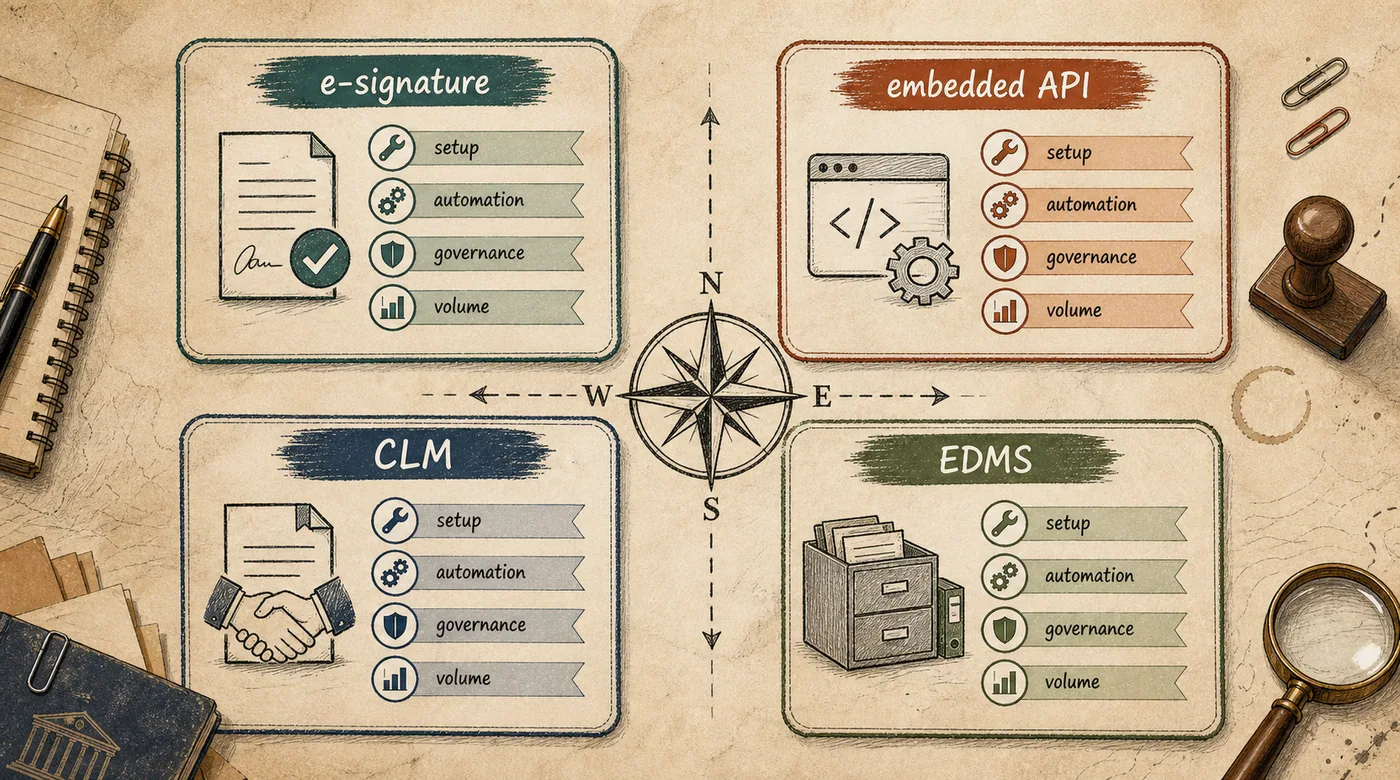
| Category | Core job | Typical strength | Where it strains | Best for |
|---|---|---|---|---|
| E-signature (DocuSign, Dropbox Sign) | Get documents signed | Fast setup, valid audit trail | API and advanced features gated to higher tiers | Teams whose main need is signatures |
| E-signature API (embedded) | Signing inside your product | Developer control, white-label flows | Overage fees, ID-verification costs stack | Product teams embedding signing |
| CLM (contract lifecycle) | Draft, approve, sign, renew | End-to-end contract control | Per-seat cost and workflow complexity | Sales and legal with heavy contract volume |
| EDMS (enterprise) | Store, version, search, retain | Governance and compliance | Heavy to deploy, needs an owner | Regulated firms and large record sets |
Read the table through your own flow. If almost all your pain is signatures from a handful of counterparties, coverage and a valid audit trail matter more than a long feature list. If you want to generate agreements from your CRM and route them automatically, the API and its documentation decide it. If your risk is retention and audit across thousands of records, an e-signature plan will never be the answer no matter how cheap the entry tier looks.
What buyers usually miss
Reviews compare features. Implementations break on other things.
The pricing math flips at real volume. You build a proof of concept on a starter plan, then find the embedded feature you actually need sits two tiers up. Add ID verification for a share of documents, SMS delivery for active signing, and a support upgrade for reliable response times, and a small team's annual spend can quietly pass several thousand dollars before you reach enterprise usage. Model the real number early.
Integration exists, but not the one you need. A generic connector and a live link to your specific Salesforce or NetSuite instance are different things. Custom integrations, workflow design, and training often push mid-market and enterprise buyers into professional-services fees. Ask what the connector actually writes back, and to which object, on a demo with your data.
No one owns the process. The tool gets bought, users get onboarded, and three months later half the team is back to email attachments because a counterparty "didn't accept it" or the workflow felt slow. Document automation needs an owner who onboards counterparties, chases failed deliveries, and trains new hires. Without one, an expensive platform becomes another unopened tab.
Signed does not mean captured. The subtle one. Signature and delivery are solved by these tools; getting the document's data into your systems often is not. If someone still rekeys amounts and line items from a signed contract into your ERP, you automated the signature but not the work. That gap is exactly where a reading layer earns its keep.
Where AI actually helps on top of documents
Signature software handles execution and delivery. It does not read what the document says or reconcile it against your records. Yet that is where the hours go: matching invoice lines to a purchase order, pulling terms out of an inbound contract, catching a total that does not match, sorting a pile of inbound PDFs by type and counterparty.
At azamat.ai we build that layer on top of whatever workflow tool you already run, through an AI document assistant. The agent reads inbound documents, extracts fields and line items, reconciles them against your CRM or ERP through an API, and drafts the next step. The final decision and posting stay with a person, because a model should not push entries into your books on its own. How that reconciliation works, and where a human has to stay in the loop, is covered in the piece on how an AI agent checks documents.
For this to sit on your processes instead of beside them, you need clean GPT integration with your existing systems and a clear picture of where the data lives. When the workflow needs to take actions across tools, generate, route, update status, log, it is closer to a custom AI agent than a form bot. The connective work behind that kind of build is walked through in connecting AI to your existing systems.
How to choose without overpaying: a short plan
Describe the flow. Which documents, with whom, at what volume, and where they stall today. Separate external signing, internal approval, and long-term records.
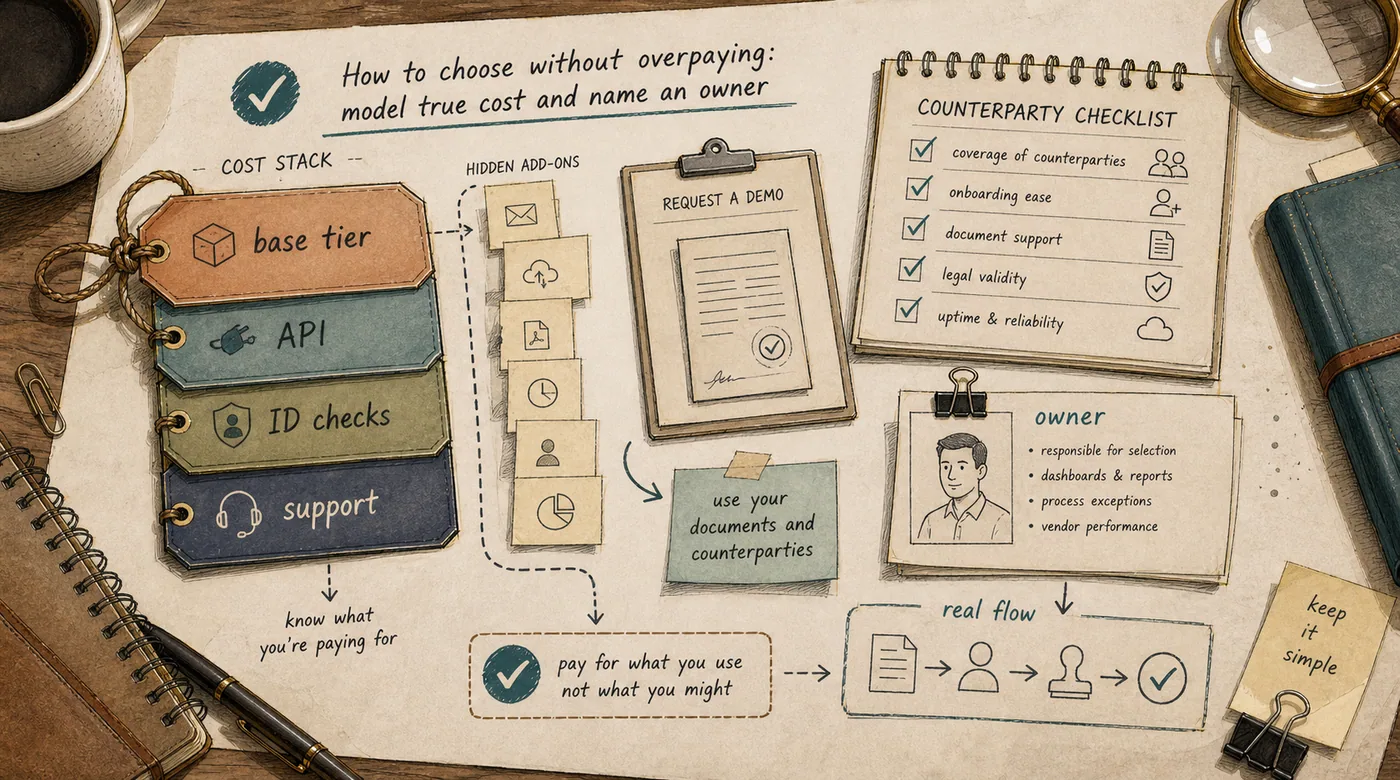
Check your counterparties. Take your highest-volume partners and confirm what they already use. That narrows the shortlist faster than any feature grid.
Demo on your own documents. Not the vendor's sample contract, but your real one with your non-standard fields and your CRM object. You will see instantly whether the integration is real or aspirational.
Model the true cost. Not the entry price, but your monthly volume including API overages, per-attempt ID verification, extra seats, and à-la-carte add-ons. Ask directly what is in the base tier and what is billed separately.
Name an owner before launch. Someone accountable for onboarding counterparties, resolving failures, and training. And only then decide where a signed document needs a layer that reads its content and lands the data in your systems. That layer, not the signature itself, is usually the real time saved.
FAQ
What is the difference between e-signature and document management software?
E-signature tools get a document signed with a valid audit trail. Document management (EDMS) handles storage, version control, search, and retention across many documents. CLM sits between them, covering the full contract lifecycle. They solve different jobs, and larger teams often need more than one.
Which document workflow software is best?
There is no single best. The right choice depends on your flow: coverage and audit trail matter most for high-volume signing, API depth for embedding into your product, and governance for regulated record-keeping. Define the job first, then compare.
Is an electronic signature legally valid?
In most markets an electronic signature carries the same legal force as a handwritten one when it meets the local standard. For cross-border deals, confirm the signature type satisfies both sides' regulators before relying on it.
Do I need API access from day one?
Only if you plan to automate, generating documents from a CRM, triggering approvals, or pulling statuses into a dashboard. If so, check that API access is included in your tier and understand the overage fees, because both are common surprises.
Can I add AI on top of my existing document tool?
Yes, and that is the right order. Your workflow tool handles signature and delivery, while an AI layer reads content, reconciles it against your systems, and drafts the next step. It sits on top through an API and does not require switching vendors.
Start by describing your document flow, not by shortlisting vendors. Once you know what you push and with whom, the list of tools shrinks on its own, and the avoidable overspend gets cut before the first demo.